

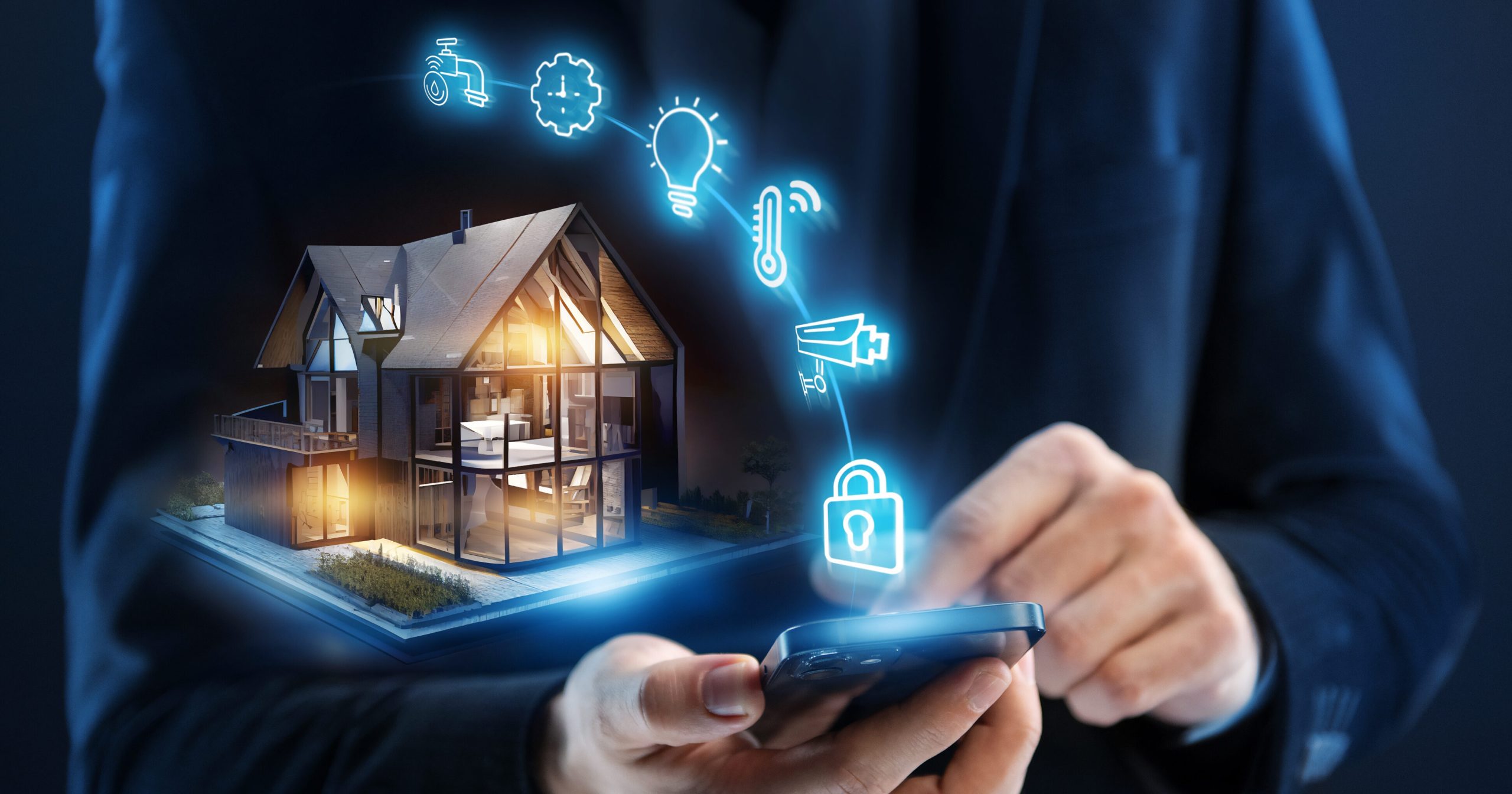
Why smart homes raise privacy questions
Smart homes are brilliant. Lights that turn on by themselves, cameras that watch your front door, speakers that answer questions faster than a human ever could. But behind all that convenience sits one big question most beginners don’t ask until it’s too late, what happens to your data?
Smart home privacy is about understanding what information your devices collect, where it goes, and who can access it. Many people assume privacy risks only apply to tech experts or hackers in dark rooms wearing hoodies. In reality, everyday devices like doorbell cameras, voice assistants, and smart TVs collect data constantly, often quietly and automatically.
If you’re new to smart homes, this can feel overwhelming. Terms like smart home security risks, smart speaker privacy, or google home data privacy sound technical, but the basics are actually quite simple. You don’t need to unplug everything or move off the grid. You just need to know what’s happening in the background and how to control it.
This guide is written specifically for beginners. We’ll explain privacy risks in plain language, look at common devices like smart cameras and speakers, and show how to secure smart home setups without ruining the fun. Think of it as learning to lock your digital doors, not building a fortress.
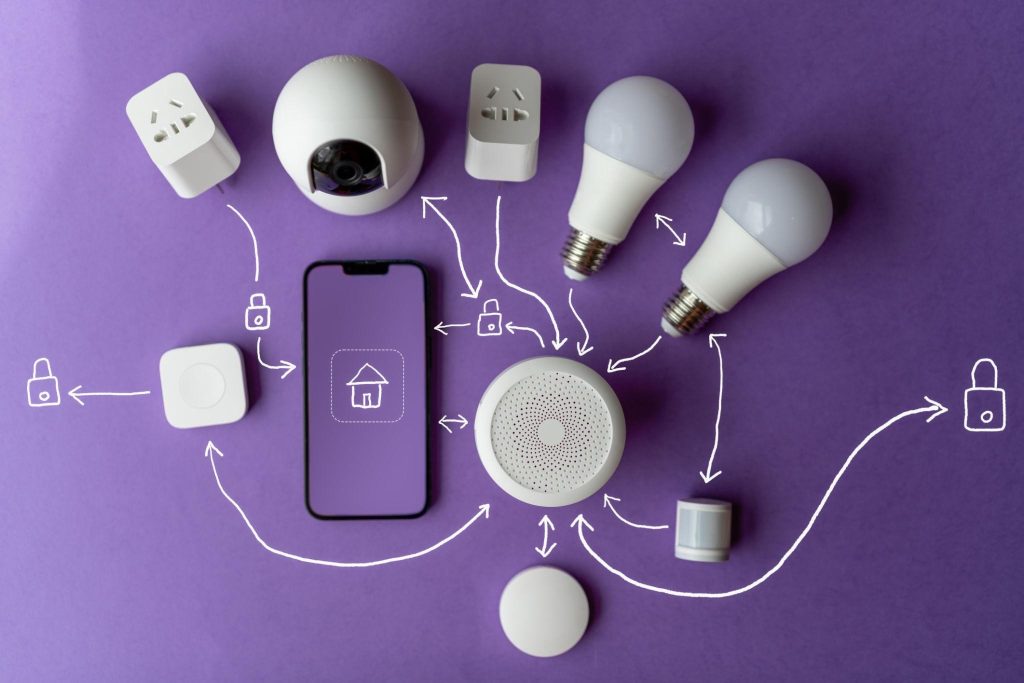
What data smart home devices actually collect
One of the biggest misconceptions beginners have about smart home privacy is thinking devices only work when you actively use them. In reality, many smart home devices collect data quietly in the background, even when you’re not paying attention.
Understanding what data is collected is the first step to controlling it.
Voice assistants listen more than you think
Smart speakers are designed to wait for wake words like “Alexa” or “Hey Google,” but they still need to listen constantly for those triggers. This is where smart speaker privacy concerns usually begin. Short audio clips may be processed, stored, or reviewed to improve accuracy. While companies say these recordings are anonymized, they still represent pieces of your daily life.
This is why alexa privacy concerns and google home data privacy are among the most searched topics in smart home security. You’re not imagining it, voice data really is part of how these systems learn.
Cameras capture more than security footage
Smart home camera security sounds reassuring, but cameras don’t just record intruders. They can capture family routines, delivery schedules, and even conversations if audio recording is enabled. Devices like doorbells and indoor cameras often upload footage to the cloud, which means your data lives on external servers, not just in your home.
Ring camera privacy is a common concern for beginners because doorbell cameras sit in public facing areas. This can raise questions about neighbor privacy, law enforcement access, and how long footage is stored.
Usage habits reveal personal routines
Even devices without microphones or cameras collect behavioral data. Smart thermostats know when you wake up. Smart lights know when you’re home. Smart plugs know what devices you use most often. Individually, this data seems harmless. Combined, it paints a detailed picture of your lifestyle.
This is where smart home privacy settings become important. Many users never open these menus, yet they control what data is saved, shared, or deleted.
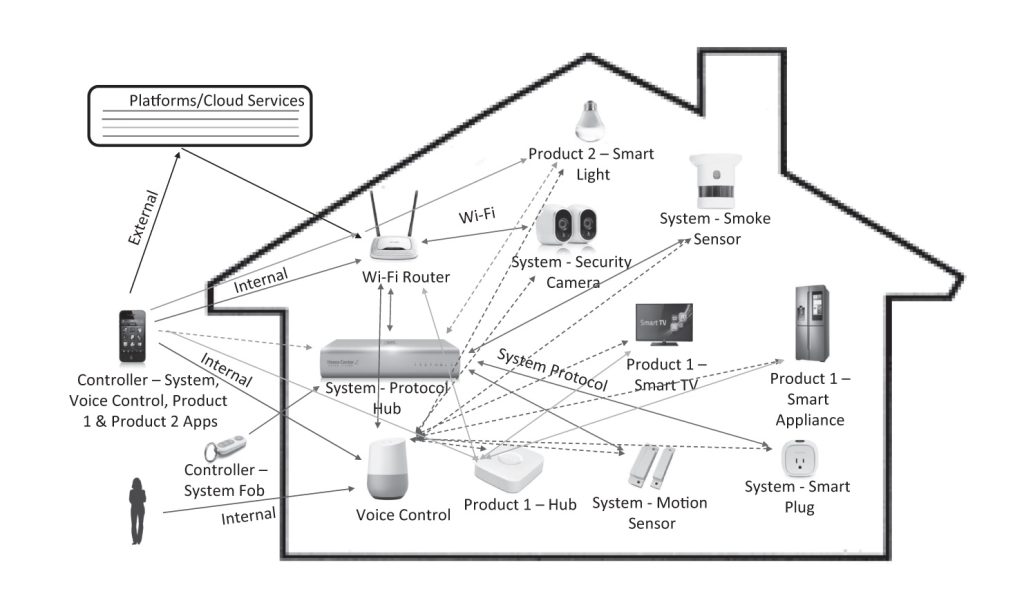
Real smart home security risks beginners should know
When people hear about smart home security risks, they often imagine dramatic hacking scenes from movies. The reality is less flashy but far more common. Most privacy issues come from weak settings, poor passwords, or simply not knowing what devices are allowed to do by default.
Let’s break down the real risks without the scare tactics.
Weak passwords and shared accounts
One of the biggest risks in any smart home setup is reusing passwords. Many beginners use the same login for their smart speaker, camera app, and email. If one account is compromised, the rest can fall like dominoes.
Shared household accounts also create privacy gaps. Guests, kids, or former roommates may still have access to devices long after they’ve left. This is especially risky for smart home camera security, where access means visibility into your home.
Cloud storage vulnerabilities
Most smart home devices rely on cloud storage. While major companies invest heavily in security, no system is immune to breaches. When footage, audio, or usage data is stored online, it becomes a potential target.
This is why smart home privacy for beginners should always include understanding where data is stored and for how long. Local storage options, limited retention periods, and manual deletion can significantly reduce exposure.
Accidental over-sharing through permissions
Many smart home apps request broad permissions during setup. Location access, contact syncing, and device sharing often get approved with a quick tap. Over time, this creates a network of data sharing most users forget about.
Smart home privacy settings allow you to review and revoke these permissions, but only if you know where to look. Beginners often miss this step, leaving devices more open than necessary.
Physical privacy risks inside the home
Indoor cameras and smart displays pose a different kind of risk. Bedrooms, nurseries, and home offices are highly sensitive spaces. Even if hacking never occurs, accidental recordings or remote access by family members can feel intrusive.
This is why many privacy focused users recommend clear rules for camera placement and microphone usage inside the home.
Smart speakers and voice assistants, privacy without the paranoia
Smart speakers feel like the most magical part of a smart home. You ask a question, they answer. You ask for music, suddenly your living room becomes a mini concert. But because these devices revolve around listening, they also trigger the loudest alexa privacy concerns and smart speaker privacy debates.
The good news is, your smart speaker isn’t secretly judging your late-night snack choices. The slightly less good news is that it does collect and store some voice data.
How smart speakers actually “listen”
Smart speakers don’t record everything all the time, but they are always listening for a wake word. Think of it like a guard dog that only wakes up when it hears its name. Once triggered, short audio clips are sent to the cloud to process your request.
This is where google home data privacy worries often pop up. Those clips can be stored in your account history unless you change the settings. Over time, that history becomes a highlight reel of your commands, questions, and the occasional accidental trigger.
Accidental recordings happen, yes really
Smart speakers sometimes mishear words that sound like wake commands. That means they can briefly activate when nobody intended them to. While these moments are usually harmless, they do remind users that microphones are always on standby.
For beginners, this is often the “aha” moment when smart home privacy suddenly feels very real.
Simple privacy controls beginners should use
You don’t need a computer science degree to take control. A few basic settings make a big difference:
- Review and delete voice history regularly
- Turn off audio storage where possible
- Use the microphone mute button when privacy matters
- Set up voice recognition for different users
These small steps address most smart speaker privacy worries without sacrificing convenience.
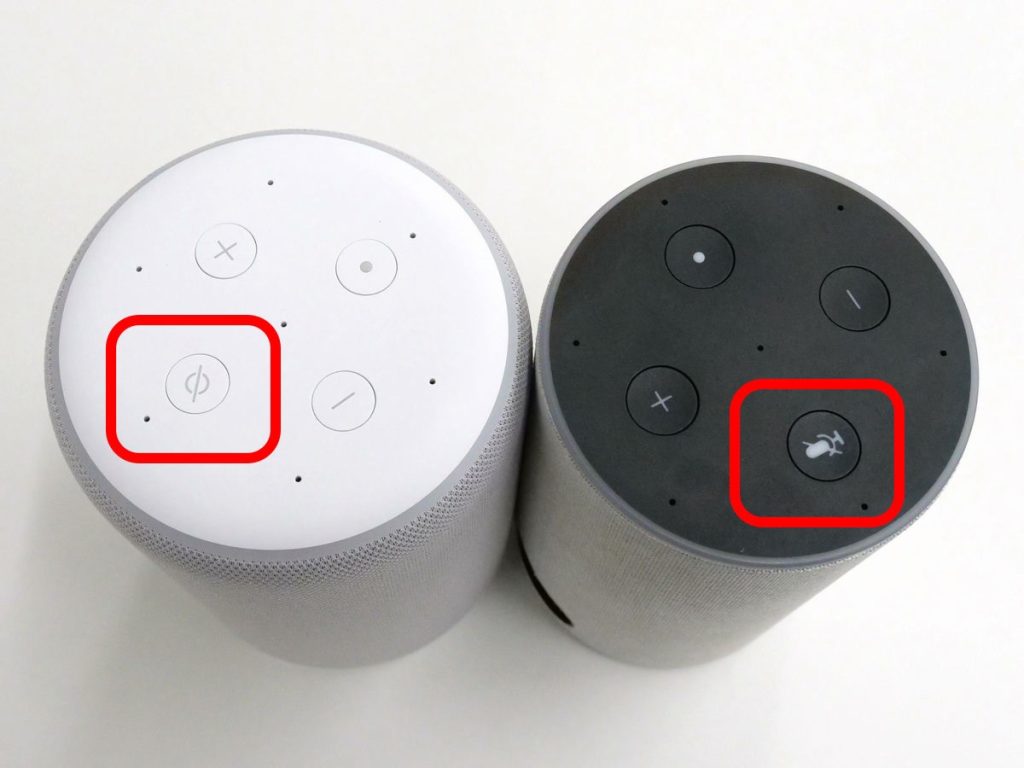
Smart home cameras and doorbells, security helpers or privacy headaches?
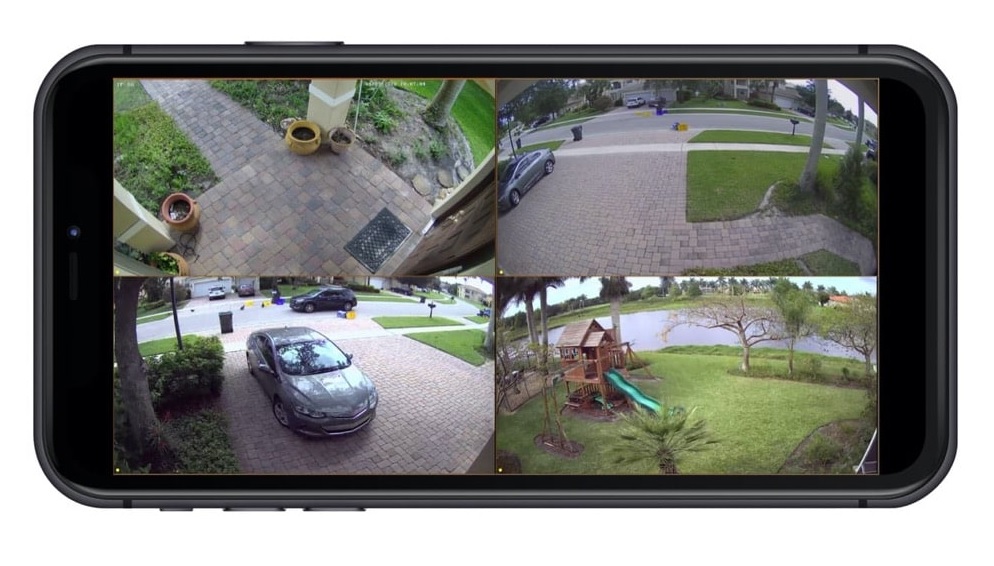
Smart cameras and video doorbells are often the first smart devices people buy. They promise peace of mind, package protection, and the ability to check your home from anywhere. But when it comes to smart home camera security, privacy questions tend to follow very quickly.
The trick is understanding where helpful security ends and unnecessary exposure begins.
What cameras see, and what they don’t need to
Cameras are very good at their job. Sometimes a little too good. They don’t just capture suspicious activity, they also record daily routines. Kids leaving for school, when you get home from work, how often deliveries arrive. All of this becomes part of your digital footprint.
This is why ring camera privacy is such a hot topic. Doorbell cameras face outward, often capturing sidewalks, neighbors, and passing cars. While this can be useful for security, it also raises questions about how much is being recorded and stored.
Cloud storage and who can access footage
Most smart cameras store footage in the cloud. This makes remote viewing easy but also means your videos live on company servers. Some services allow limited sharing with law enforcement or third parties under certain conditions, which surprises many beginners.
Smart home privacy settings usually allow you to:
- Control how long footage is stored
- Turn off audio recording
- Limit who can view or download clips
- Set motion zones to avoid public areas
Using these tools keeps your camera focused on security, not surveillance.
Indoor cameras need extra care
Indoor cameras are where privacy really becomes personal. Bedrooms, nurseries, and home offices are not places you want constantly monitored. Many beginners forget to turn off cameras when they’re home or rely on schedules that don’t always match real life.
Physical privacy features like lens covers or automatic home and away modes can prevent awkward moments and protect everyday privacy.
Smart home privacy settings beginners should change immediately
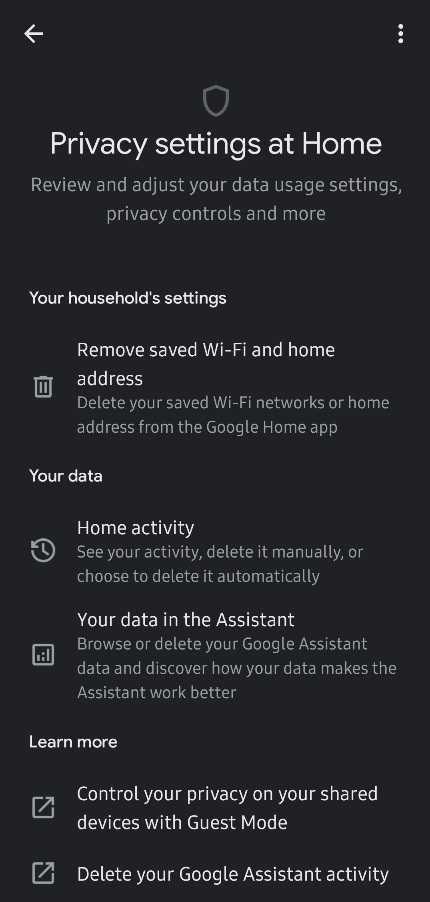
If smart home devices came with a personality, default settings would be the overly friendly type. They share more than necessary, remember everything, and rarely ask if that’s okay. The good news is, smart home privacy settings exist specifically to fix this.
You don’t need to change everything. Just the important bits.
Review data history and auto deletion options
Most smart home platforms store activity history by default. Voice commands, camera clips, usage logs, they all pile up quietly in the background. Many beginners never realize this data can be automatically deleted.
Look for settings that allow:
- Automatic deletion after a set time
- Manual review and removal of stored data
- Limits on what activity gets saved
This single change alone dramatically improves smart home privacy for beginners.
Turn off features you don’t use
Smart devices often enable bonus features you may never touch. Location tracking, personalized ads, usage analytics, and third-party integrations are common examples. If you don’t actively use them, they don’t need to be on.
Disabling unused features reduces smart home security risks and keeps your data footprint smaller.
Limit device sharing and guest access
Sharing access is convenient, until it isn’t. Former guests, babysitters, or temporary visitors may still have control over devices long after they’re gone.
Check device sharing lists and:
- Remove inactive users
- Use guest modes instead of full access
- Create separate profiles for family members
This is especially important for camera feeds and smart locks.
Keep apps and firmware updated
Updates are not just about new features. They often fix security holes. Skipping updates is like leaving your front door unlocked because the lock “still works.”
Automatic updates are one of the easiest ways to reduce smart home security risks with zero effort after setup.
How to secure smart home networks and Wi-Fi
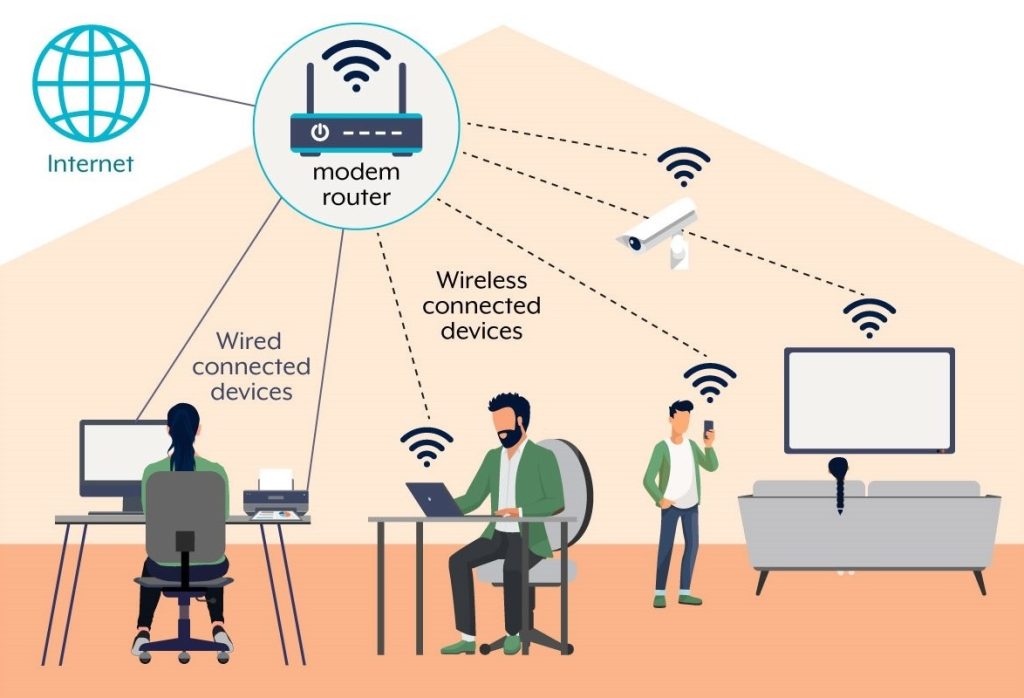
You can lock down every device perfectly, but if your Wi-Fi network is weak, your smart home is basically a house with great locks and no walls. For beginners, network security sounds intimidating, but it’s actually one of the simplest and most powerful privacy upgrades you can make.
Think of your router as the bouncer at the door. If it does its job well, most problems never get inside.
Use strong, unique Wi-Fi passwords
This sounds obvious, yet it’s one of the most common mistakes. Default router passwords and simple phrases are an open invitation. A strong password should be long, unique, and not reused anywhere else.
Changing your Wi-Fi password alone reduces many smart home security risks instantly.
Create a separate network for smart devices
Many modern routers allow multiple networks. Creating a separate Wi-Fi network just for smart home devices keeps them isolated from your phones, laptops, and personal files.
If a device ever gets compromised, it won’t have easy access to the rest of your digital life. This is a simple but powerful way to improve smart home privacy.
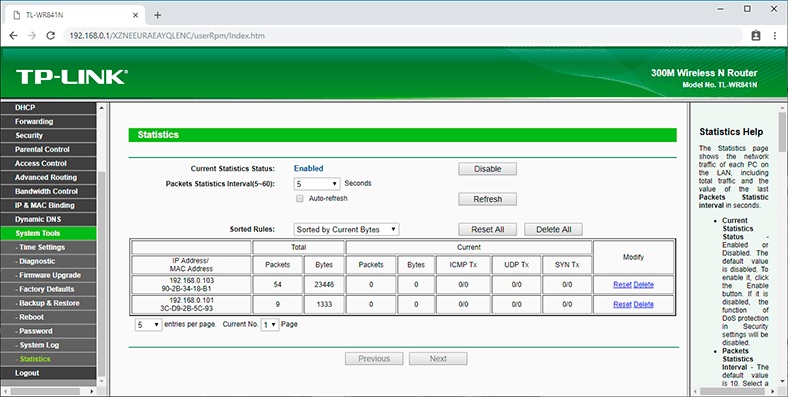
Enable router security features
Routers quietly offer useful security tools that beginners often ignore:
- Built-in firewalls
- Device monitoring dashboards
- Automatic firmware updates
- Alerts for new device connections
Turning these on takes minutes and adds a strong extra layer of protection.
Don’t forget the router itself
Routers need updates too. An outdated router is like a security guard who hasn’t read the rulebook in years. Check for firmware updates and replace very old routers that no longer receive support.
This is one of the most overlooked steps when learning how to secure smart home setups.
Practical smart home privacy tips beginners can actually stick to
By now, smart home privacy probably feels a lot less mysterious. The final step is turning everything you’ve learned into habits that don’t feel like homework. Privacy works best when it’s simple, repeatable, and slightly boring in the best way.
Here are realistic habits beginners can maintain without turning smart homes into a full-time job.
Do a quick privacy check every few months
Set a reminder every three to six months to review your devices. Check camera settings, voice history, user access, and network connections. This keeps smart home privacy settings aligned with how you actually use your devices today, not how you used them months ago.
Be intentional about where devices live
Device placement matters more than most beginners realize. Avoid putting smart speakers in bedrooms if you don’t need them there. Keep indoor cameras out of highly personal spaces. Position doorbell cameras to focus on your property, not public areas.
This small step goes a long way in reducing smart home privacy concerns.
Read permission prompts, even briefly
No one enjoys reading permission screens, but a quick glance can prevent unnecessary data sharing. If a feature asks for access that feels unrelated, it probably is.
This habit helps beginners avoid silent over-sharing over time.
Remember convenience is adjustable
Smart homes are not all-or-nothing. You can mute microphones, disable cameras, and pause automation whenever privacy matters most. Flexibility is one of the biggest strengths of smart tech when used intentionally.
Smart home privacy for beginners isn’t about perfection. It’s about awareness and control.
FAQs, smart home privacy explained simply
Is smart home privacy really a big concern for beginners?
Yes, because beginners often rely on default settings. Most privacy risks come from lack of awareness, not advanced hacking.
Can smart home devices record me without permission?
Devices follow their settings, but accidental activations and background data collection can happen. Reviewing privacy settings reduces this risk.
Are smart speakers always listening?
They listen for wake words, not conversations, but short audio clips may be stored unless you disable voice history.
Do smart cameras increase home security or reduce privacy?
They can do both. Proper placement and settings keep the balance in your favor.
What is the easiest way to secure smart home privacy?
Start with strong passwords, review privacy settings, and keep devices updated. These three steps cover most risks.
