


AI is no longer a cloud-only playground. In 2026, serious AI workloads are running directly on laptops, whether you are training small models, building copilots, experimenting with machine learning pipelines, or running local LLMs. Choosing the best laptop for AI is no longer about just “getting the most expensive one.” It is about balance: NPUs, GPUs, RAM, thermals, and yes, battery life that does not quit before your model finishes compiling.
If you are searching for the best AI laptops 2026, planning your next AI engineer laptop 2026 upgrade, or comparing copilot+ pc laptops with RTX 50 series laptops, this guide breaks everything down in plain English. No marketing fluff. No confusing benchmark charts without context. Just what actually matters for laptops for AI development in the real world.
We will cover:
- Why NPUs are suddenly everywhere
- How much RAM do you really need, especially for laptops, 32 GB RAM and beyond
- GPU vs NPU for the best laptop machine learning use cases
- Snapdragon X Elite laptop vs traditional x86 options
- What battery life actually means for AI workloads
Let’s start with the foundation: what “AI workloads” really mean in 2026.
What counts as AI workloads on a laptop in 2026?
Before picking the best laptop for AI, we need to define the battlefield.
AI workloads on a laptop generally fall into three categories:
- Model development and experimentation
- Training small to medium models locally
- Fine-tuning open source LLMs
- Running TensorFlow or PyTorch pipelines
- Inference and local LLM usage
- Running quantized 7B to 13B models
- Using AI coding assistants locally
- Image and video generation with AI tools
- AI-assisted productivity
- Copilot features in Windows
- AI-enhanced video editing
- Real-time transcription and summarization
If your work is heavy model training, you may also want to compare laptops with desktops. For example, we recently explored high-performance builds in our guide to the best desktop computers for AI development, which shows when a tower still makes more sense than a mobile workstation.
But for many developers, researchers, and power users, portability matters. That is where the modern AI engineer laptop 2026 category comes in.
CPU vs GPU vs NPU: who actually does the AI work?
In 2026, AI-capable laptops typically include three types of compute engines:
- CPU: The general-purpose brain
- GPU: The parallel processing monster
- NPU: The dedicated AI accelerator
Let’s simplify this.
CPU: The multitasking manager
The CPU still handles:
- Code compilation
- Data preprocessing
- System tasks
- Light AI workloads
Modern high-end CPUs from Intel, AMD, and ARM are powerful, but they are not optimized for massive matrix multiplications the way GPUs are.
If you are buying the best laptop machine learning setup, the CPU matters, but it is no longer the star of the show.
GPU: The muscle for serious AI
If you plan to:
- Train models locally
- Run Stable Diffusion
- Fine-tune LLMs
- Work with large datasets
You want a strong GPU.
In 2026, RTX 50 series laptops are leading this segment. They provide:
- High CUDA core counts
- Improved tensor cores
- Better efficiency per watt
- Larger VRAM options
For many professionals, an RTX 50 series laptop is still the safest bet for the best laptop for AI, especially if your workflow depends on CUDA acceleration.
NPU: The new AI specialist in town
Now the interesting part: laptops with NPU.
NPUs, or Neural Processing Units, are designed specifically for AI inference tasks. They are highly efficient and optimized for:
- Running on device copilots
- Background AI features
- Real-time translation and transcription
- Low-power AI tasks
Copilot+ pc laptops heavily promote NPUs, especially those powered by ARM chips like Snapdragon X Elite laptop models.
But here is the catch:
NPUs are fantastic for inference and OS level AI features. They are not replacements for high-end GPUs when it comes to serious machine learning development.
Think of it like this:
- GPU = industrial kitchen
- NPU = ultra-efficient microwave
- CPU = reliable stove
All three are useful, but for different recipes.
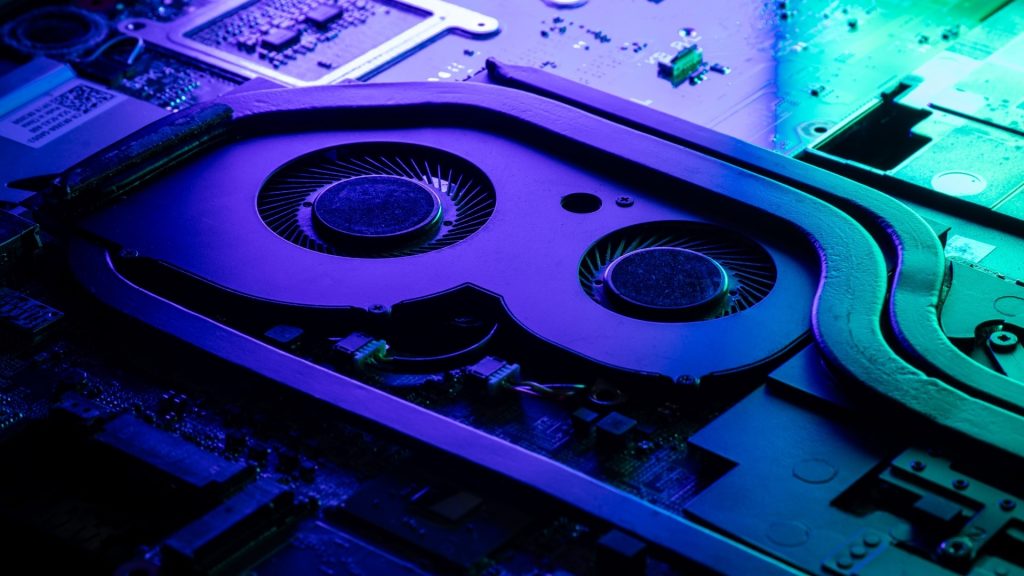
How much RAM do you really need for AI workloads in 2026?
If GPUs are the muscle of the best AI laptops 2026, then RAM is the breathing room. And when it comes to laptops for AI development, running out of memory is not just annoying, it is workflow-destroying.
Let’s clear something up right away:
8GB RAM in 2026 is for spreadsheets and streaming.
16GB is the new “basic productivity” tier.
For serious AI work, laptops with 32 GB RAM should be considered the starting point.
Now let’s break down why.
Why RAM matters more for AI than most people realize
When you work on AI or machine learning locally, RAM handles:
- Loading datasets
- Holding intermediate tensors
- Managing large code environments
- Running local LLMs
- Virtual machines or containers
Even if your GPU has dedicated VRAM, your system RAM still supports:
- Data preprocessing
- Multi-tasking with IDEs, browsers, and documentation
- Docker environments
- Jupyter notebooks
If you have ever had your laptop freeze mid-training, you already know: insufficient RAM is productivity sabotage.
Is 32GB RAM enough for AI in 2026?
For most developers and advanced students, yes.
Laptops with 32 GB RAM are currently the sweet spot for:
- Running 7B to 13B quantized LLMs
- Mid-size model fine-tuning
- AI-assisted coding workflows
- Image generation experimentation
- Data science projects
If you are building production-scale systems, you will likely rely on cloud GPUs anyway. In that case, your laptop becomes a development and testing environment, not the main training machine.
But here is where things get interesting.
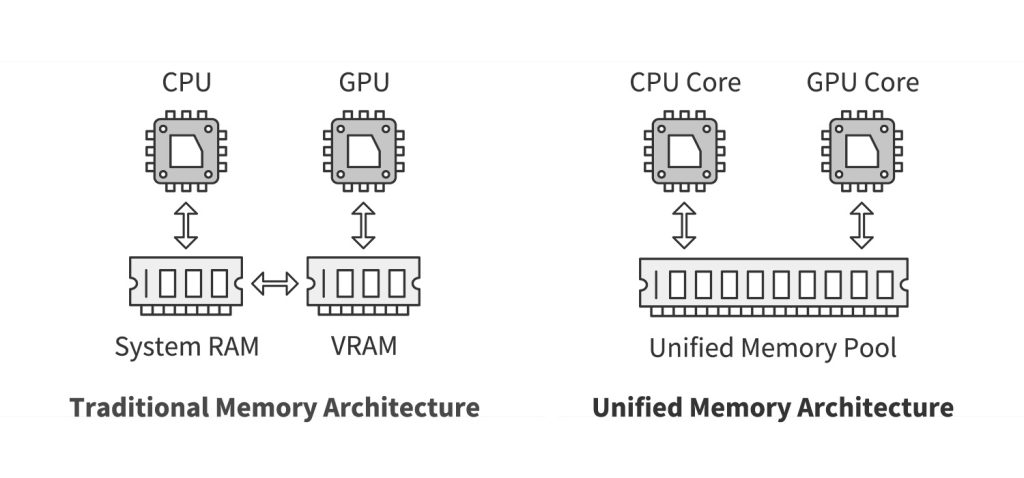
Some modern copilot+ pc laptops come with 16GB or 32GB unified memory, especially ARM-based models like Snapdragon X Elite laptop devices. Because unified memory is shared between CPU and GPU, memory management behaves differently than traditional discrete GPU systems.
That makes 32GB even more valuable in unified architectures.
When should you consider 64GB RAM?
If you fall into any of these categories, 64GB may be worth the investment:
- You frequently fine-tune larger models locally
- You work with large tabular datasets
- You run multiple virtual machines
- You develop AI tools while running heavy creative software
Some high-end configurations of MSI Prestige 16 AI Studio and RTX 50 series laptops allow 64GB upgrades. That future-proofs your AI engineer laptop 2026 setup for the next 3 to 5 years.
For comparison, in our breakdown of the best desktop computers for AI development, we saw how desktops can easily scale to 128GB or more. Laptops obviously cannot match that flexibility, so choosing wisely at purchase is critical.
Unified memory vs traditional RAM and VRAM
There are now two dominant architectures:
- Traditional x86 laptop
- System RAM
- Dedicated GPU with separate VRAM
- ARM-based laptop, like the Snapdragon X Elite laptop
- Unified memory shared across CPU, GPU, and NPU
Unified memory has advantages:
- Faster data sharing between components
- Better efficiency
- Improved battery life
But it also means:
- No separate VRAM safety net
- All components compete for the same memory pool
If you are choosing between ARM and x86, you may want to read our deep dive into ARM vs. x86 laptops to understand long-term compatibility, software optimization, and performance differences.
For AI workloads, traditional discrete GPUs still offer stronger raw performance. But ARM-based copilot+ pc laptops are catching up rapidly, especially for inference-heavy tasks.
Practical RAM recommendations by user type
Let’s make it simple.
Casual AI user
- AI-powered productivity apps
- Light experimentation
- Recommended: 16GB minimum, 32GB preferred
AI student or early career developer
- Local LLMs
- Model experimentation
- Coursework
- Recommended: 32GB
Professional AI engineer
- Frequent local testing
- Multi-container setups
- Advanced experimentation
Recommended: 32GB minimum, 64GB ideal
Heavy local model trainer
- Large fine-tuning
- GPU-intensive work
Recommended: 64GB plus a strong RTX GPU
If you are unsure where you fall, err on the side of more RAM. RAM upgrades after purchase are limited or impossible on many thin and light designs.
Battery life for AI workloads: marketing numbers vs real world usage
Let’s talk about the number laptop brands love to print in bold: “Up to 20 hours of battery life.”
Sounds amazing. Feels empowering. Completely collapses the moment you start training a model.
When evaluating the best battery life laptops for AI, you need to separate two very different scenarios:
- Light AI-assisted productivity
- Heavy local AI workloads
They are not in the same universe.
Scenario 1: AI-assisted productivity and copilot features
This is where copilot+ pc laptops shine.
If you are:
- Using AI-enhanced writing tools
- Running background transcription
- Letting Windows handle AI features on the device
- Using light inference models
Then laptops with NPU, especially Snapdragon X Elite laptop models, can deliver impressive battery performance.
Why?
Because NPUs are optimized for low-power inference. They can handle AI tasks without waking up the high-power GPU. That means:
- Less heat
- Less fan noise
- Better battery efficiency
In this scenario, 15 to 20 hours of mixed usage is realistic for ARM-based machines. This is why many Snapdragon X Elite laptop reviews highlight all-day battery life, even with AI features turned on.
If your AI work mostly involves cloud-hosted models and your laptop is just the interface, these machines are extremely compelling.
Scenario 2: Local model training and GPU-heavy workloads
Now let’s flip the switch.
The moment you:
- Launch PyTorch training
- Run Stable Diffusion locally
- Fine-tune a transformer
- Push your RTX 50 series laptop GPU to 90 percent usage
Battery life drops fast.
Even the best AI laptops 2026 equipped with RTX 50 series laptops typically deliver:
- 2 to 4 hours under heavy GPU load
- 4 to 6 hours under mixed development tasks
- 8 to 10 hours for general productivity
High performance equals high power draw. Physics does not negotiate.
This is especially true for laptops like the MSI Prestige 16 AI Studio configured with discrete NVIDIA GPUs. They are incredible for AI development, but unplugged performance comes at a cost.
If your workflow requires hours of sustained training, plan on being near a power outlet. Think of it as a high-performance sports car, not a hybrid commuter.
Why ARM laptops are changing the battery conversation
The rise of Snapdragon X Elite laptop models has created a new category:
AI-capable laptops that feel like ultrabooks.
Compared to traditional x86 machines:
- Lower idle power consumption
- Better standby efficiency
- Strong NPU acceleration
- Competitive CPU performance
For developers who:
- Test models locally
- Deploy to cloud GPUs
- Focus on inference rather than training
These machines are the perfect balance between performance and portability.
But here is the trade-off:
Software compatibility and CUDA-dependent workflows may still favor x86 and NVIDIA ecosystems.
If you are deciding between architectures, you might also want to explore our comparison of ARM vs. X86 laptops to understand ecosystem maturity and long-term support.
What really impacts battery life in AI laptops
When shopping for the best laptop for AI, do not just look at advertised hours. Instead, evaluate:
- Battery capacity in watt-hours
- GPU TGP, total graphics power
- Display resolution and refresh rate
- Cooling design
- Processor efficiency
Here is a quick rule of thumb:
Thin and light copilot+ pc laptops
- Best for mobility
- Great battery life
- Limited sustained GPU power
RTX 50 series laptops
- Best for raw AI performance
- Shorter unplugged sessions
- Heavier and thicker designs
Some users solve this by pairing a powerful laptop with a clean desk setup and an external power solution. If you are optimizing your workspace, our guide on best work-from-home setups for 2026 offers practical ideas for balancing performance and comfort.
Can you realistically train models on a battery?
Technically yes. Practically, it is not ideal.
Running heavy training sessions on battery:
- Drains charge rapidly
- May trigger power throttling
- Generates more heat
- Shortens long-term battery health
If you are serious about local model training, plug in. Your future self, and your battery, will thank you.
For lighter AI tasks like coding with local inference or running smaller quantized models, battery usage is manageable, especially on laptops with NPU acceleration.
Battery life recommendations by user type
Mobile AI student
- Prioritise efficiency
- 60Wh plus battery
- ARM-based option worth considering
Professional AI engineer
- Accept shorter unplugged sessions
- Focus on performance first
- Large battery, 80Wh plus ideal
Hybrid cloud developer
- Balance matters
- Strong CPU and NPU
- Moderate GPU acceptable
If your goal is ultimate portability, you might also explore lightweight options similar to what we covered in the best travel laptops 2025. Just remember, not every travel-friendly laptop is built for serious AI workloads.
Best AI laptops 2026: top categories and standout models
Now we get to the fun part. Specs are great, theory is helpful, but what should you actually buy?
The best AI laptops 2026 fall into three main categories:
- High-performance RTX 50 series laptops for serious machine learning
- Balanced creator-focused AI laptops with discrete GPUs
- ARM-powered copilot+ pc laptops built around efficiency and NPUs
Let’s break them down in practical terms.
High-performance beasts: RTX 50 series laptops
If your definition of the best laptop for machine learning includes:
- Local model fine-tuning
- Stable Diffusion workflows
- CUDA-dependent frameworks
- Heavy GPU acceleration
Then, RTX 50 series laptops are currently the gold standard.
These machines typically offer:
- NVIDIA RTX 50 series GPUs with upgraded tensor cores
- 32GB to 64GB RAM configurations
- High-wattage cooling systems
- Large 16-inch displays for multitasking
They are not subtle. They are not featherlight. But they are brutally effective.
Ideal for:
- AI engineers running local experiments daily
- Researchers prototyping models before cloud deployment
- Developers working with vision models and generative AI
Battery life? Acceptable for meetings. Not ideal for 4-hour unplugged training sessions. These laptops are happiest when plugged in.
If you are coming from a desktop setup, this is the closest you will get to workstation-level power without building a full tower, as discussed in the best desktop computers for AI development.
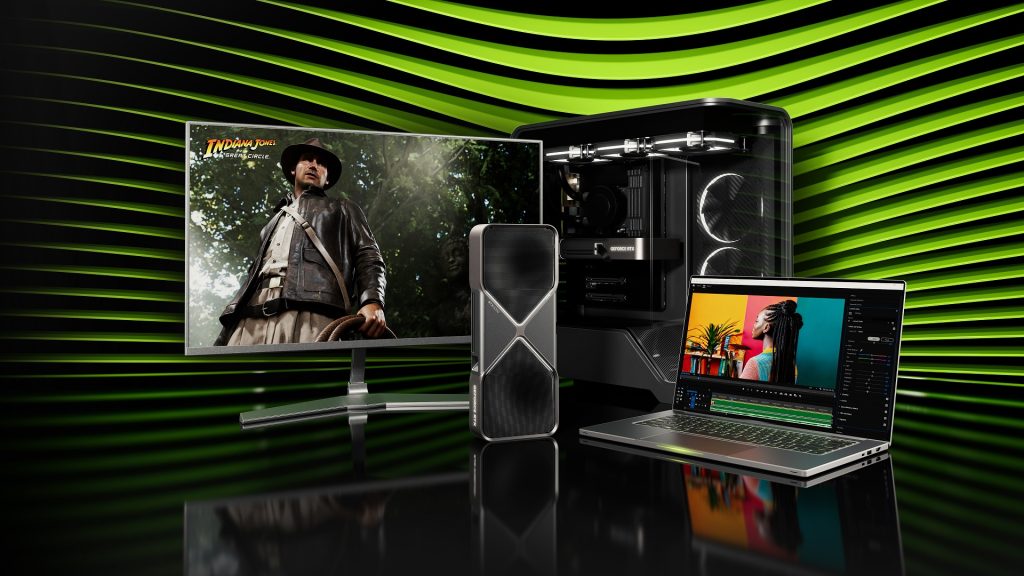
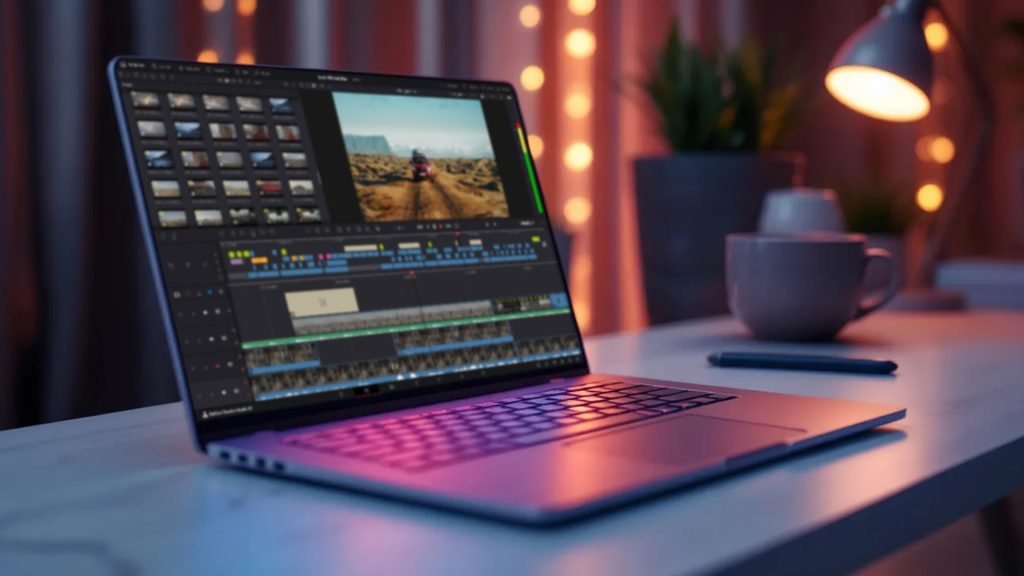
Balanced creator class: MSI Prestige 16 AI Studio
If you want something more refined, less “gaming spaceship” and more “professional powerhouse,” the MSI Prestige 16 AI Studio is a strong contender in the AI engineer laptop 2026 category.
Typical strengths include:
- Dedicated NVIDIA GPU
- 32GB or higher RAM options
- High-resolution display for creative work
- Professional, minimal design
This type of laptop is ideal if you:
- Build AI tools
- Edit video with AI enhancements
- Run mid-size models locally
- Present to clients and do not want RGB lighting screaming from your desk
It is a middle ground between ultra-thin copilot+ pc laptops and full-blown RTX gaming machines.
For many professionals, this is the sweet spot: powerful enough for laptops for AI development, portable enough for travel, and respectable enough for boardrooms.
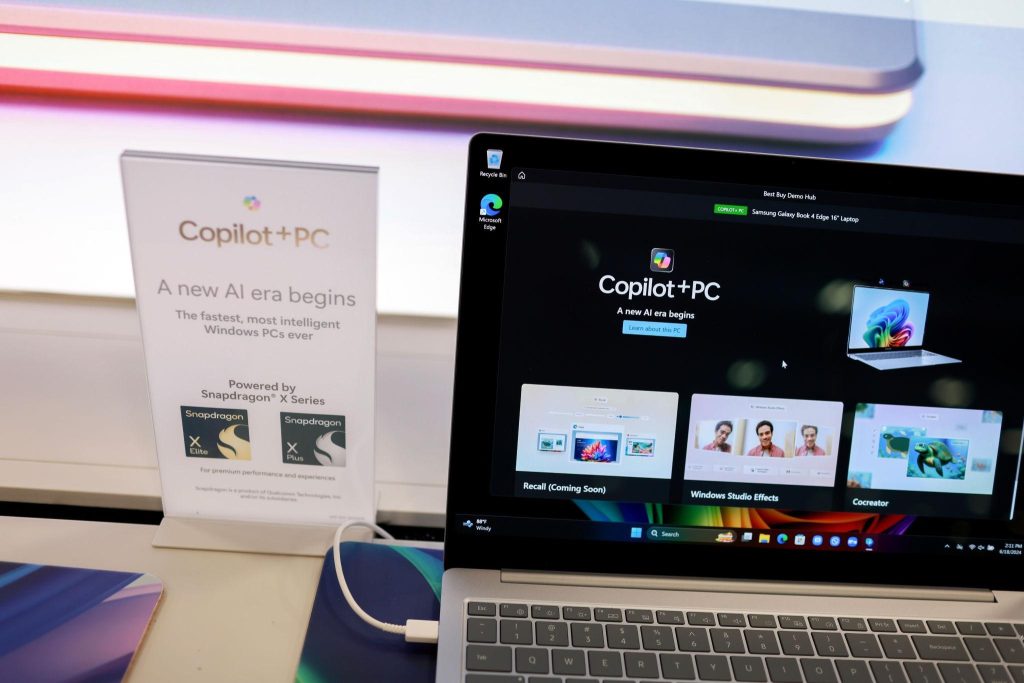
Efficient and modern: Snapdragon X Elite laptop and copilot+ pc laptops
Now let’s talk about the new wave.
Snapdragon X Elite laptop models represent a shift toward:
- ARM architecture
- Integrated NPUs
- Unified memory
- Exceptional efficiency
These are the flagship copilot+ pc laptops built around an AI-first design.
They excel at:
- On-device AI features
- Local inference
- AI-assisted productivity
- Long battery life
If your workflow looks like:
- Code locally
- Test smaller models
- Deploy heavy training to cloud GPUs
- Travel frequently
Then this category can absolutely qualify as the best laptop for AI for your needs.
However, there are trade-offs:
- Not all legacy software is perfectly optimized
- CUDA-dependent workflows are limited
- High-end discrete GPU performance is absent
In short:
For inference-heavy, mobile AI workflows, ARM laptops are impressive.
For raw model training power, RTX 50 series laptops still dominate.
If you are unsure about relying heavily on cloud resources, our guide on cloud pcs explained can help you evaluate whether offloading heavy workloads is the smarter long-term strategy.
Quick comparison: which category fits you?
Let’s simplify your decision.
Choose RTX 50 series laptops if you:
- Train models locally
- Need CUDA acceleration
- Want maximum AI performance
Choose the MSI Prestige 16 AI Studio class if you:
- Want a balance between power and design
- Develop AI tools and creative projects
- Need 32GB or 64GB RAM in a professional chassis
Choose the Snapdragon X Elite laptop or copilot+ pc laptops if you:
- Prioritize battery life
- Focus on inference and productivity
- Work heavily with cloud AI
There is no single best laptop for AI. There is only the best match for your workload.
How to choose the best laptop for AI in 2026: the practical buyer’s checklist
By now, you understand NPUs, GPUs, RAM, and battery trade-offs. But when you are staring at ten open tabs comparing specs, everything starts to blur.
So let’s simplify this into a practical checklist you can actually use.
Whether you are shopping for the best AI laptops 2026 or upgrading your AI engineer laptop 2026 setup, these are the decisions that matter most.
1. Define your AI workload clearly
Before looking at brands, answer this:
Are you training models locally, or mostly using cloud GPUs?
If you are primarily:
- Running local LLMs
- Fine-tuning small models
- Using Stable Diffusion or similar tools
- You need a strong GPU, preferably in the RTX 50 series laptops category.
If you are mostly:
- Coding AI apps
- Testing inference
- Using cloud computing
- Leveraging copilot+ pc laptops’ features
- Then a Snapdragon X Elite laptop or similar ARM-based system may be enough.
Be honest about your workflow. Buying more power than you need is expensive. Buying less is frustrating.
2. Prioritise RAM early, not later
For laptops for AI development, RAM is not a luxury.
Minimum recommendation in 2026:
- 32GB for serious AI work
Ideal for professionals:
- 64GB if available
Many modern thin laptops have soldered memory. If you cannot upgrade later, your initial choice becomes permanent.
If you are unsure how memory and architecture impact long-term value, our guide on ARM vs. X86 laptops dives deeper into performance differences and compatibility considerations.
3. GPU matters more than CPU for heavy AI
When comparing specs:
- Do not obsess over minor CPU clock speed differences
- Focus on the GPU model and VRAM
For the best laptop machine learning performance:
- RTX 50 series laptops with higher VRAM options are ideal
- More VRAM means larger models and smoother experimentation
If your AI tasks resemble what we explored in the best desktop computers for AI development, you already know that GPU power is king. Laptops are no different, just more compact and thermally constrained.
4. Check thermals and sustained performance
Specs on paper are one thing. Sustained performance is another.
Look for:
- Dual fan cooling systems
- Vapor chamber cooling
- Reviews mentioning stable long-term loads
AI workloads are not short bursts. They can run for hours. Poor cooling leads to throttling, which means your expensive RTX GPU performs like a mid-range chip after 20 minutes.
A thick, well-cooled laptop is often a better AI tool than an ultra-thin one with impressive but unsustainable specs.
5. Storage: Do not underestimate local datasets
AI projects consume storage quickly.
Recommended baseline:
- 1TB SSD minimum
If you plan to:
- Store multiple models
- Work with image or video datasets
- Maintain local checkpoints
2TB is safer.
Fast NVMe SSDs also reduce loading times for large datasets, noticeably improving your workflow.
6. Battery life expectations: Be realistic
If you are chasing the best battery life laptops and the best laptop for AI in the same device, you are balancing two opposing forces.
Reality check:
- Heavy training = plug in
- Light inference + coding = decent battery possible
ARM-based copilot+ pc laptops shine in mobility. RTX 50 series laptops dominate in raw power. Few machines perfectly combine both.
7. Future proofing for 2027 and beyond
AI hardware is evolving fast. To extend the lifespan of your investment:
- Choose 32GB minimum RAM
- Prefer the latest generation of GPUs
- Select a larger battery capacity
- Avoid entry-level configurations if you are serious about AI
In 2026, AI features are deeply integrated into operating systems. From OS level copilots to AI-enhanced productivity, your laptop is becoming a local AI node.
Quick buyer profiles: which best AI laptop category fits you?
Let’s match personality to hardware.
The AI student
- Budget conscious
- Learning machine learning
- Runs small local models
Best fit: 32GB RAM, mid-tier GPU, or strong NPU-based copilot+ pc laptop
The freelance AI developer
- Builds tools and prototypes
- Uses cloud for heavy lifting
- Travels often
Best fit: Snapdragon X Elite laptop or balanced creator-class laptop
The full-time AI engineer
- Regular local experimentation
- Needs CUDA acceleration
- Runs multi-container setups
Best fit: RTX 50 series laptops with 32GB to 64GB RAM
The power researcher
- Frequent local fine-tuning
- Large datasets
- Performance first mindset
Best fit: High-wattage RTX 50 series laptop, 64GB RAM, large battery
There is no universal best laptop for AI. There is only the best alignment between your workload and your hardware.
FAQs: best laptops for AI workloads in 2026
What is the best laptop for AI in 2026?
The best laptop for AI depends on your workload. For heavy local model training, RTX 50 series laptops lead. For mobility and AI-assisted productivity, the Snapdragon X Elite laptop and copilot+ pc laptops are strong choices.
Are laptops with NPU good for machine learning?
Laptops with an NPU are excellent for AI inference and OS-level AI features. However, for serious model training and CUDA-dependent workflows, discrete GPUs still outperform NPUs.
Is 32GB RAM enough for AI development?
Yes, laptops with 32 GB RAM are the practical baseline for AI development in 2026. For heavier experimentation and future proofing, 64GB is even better if your budget allows.
Do I need an RTX GPU for AI?
If you plan to train models locally or use frameworks optimized for CUDA, an RTX GPU is highly recommended. For lighter AI tasks and cloud-based workflows, a strong CPU and NPU may be sufficient.
Are Snapdragon X Elite laptops good for AI engineers?
Snapdragon X Elite laptop models are excellent for inference-heavy tasks, cloud-centric development, and long battery life. They are less suited for heavy local CUDA-based model training.
