

Introduction: why cloud PCs suddenly matter
For decades, personal computing followed a simple rule: buy a computer, install software, and hope it stays fast for a few years. Recently, that rule has started to bend. Cloud PCs are quietly changing how people think about owning and using a computer.
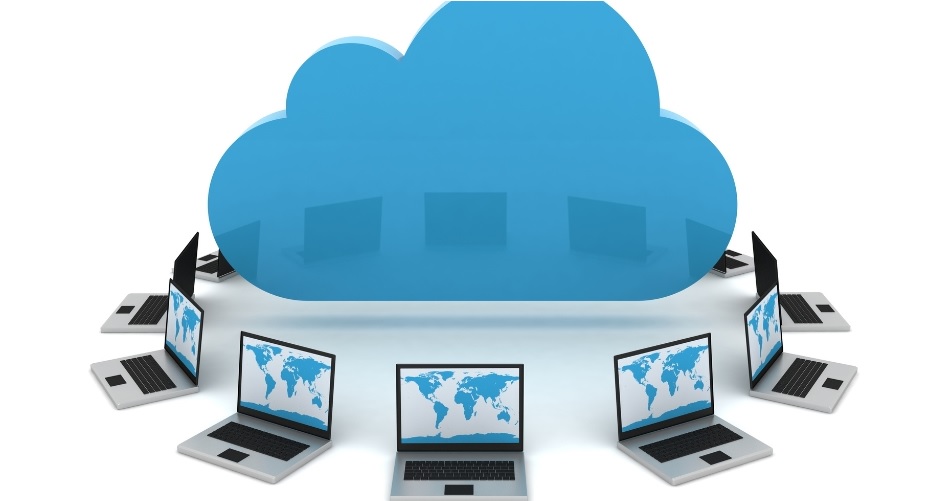
A Cloud PC, sometimes called a cloud desktop PC or cloud computer, flips the traditional model upside down. Instead of relying on hardware under your desk, your entire desktop lives in the cloud and streams to almost any device you own. Your laptop, tablet, or even a low-powered mini PC becomes a window rather than the engine.
In 2025, cloud PCs are no longer just enterprise tools. With services like Windows 365 Cloud PC and several consumer-focused platforms, cloud computing for personal use is entering the mainstream. The big question is whether this shift is a convenience trend or the future of personal computing itself.
What is a cloud PC and how does it work?
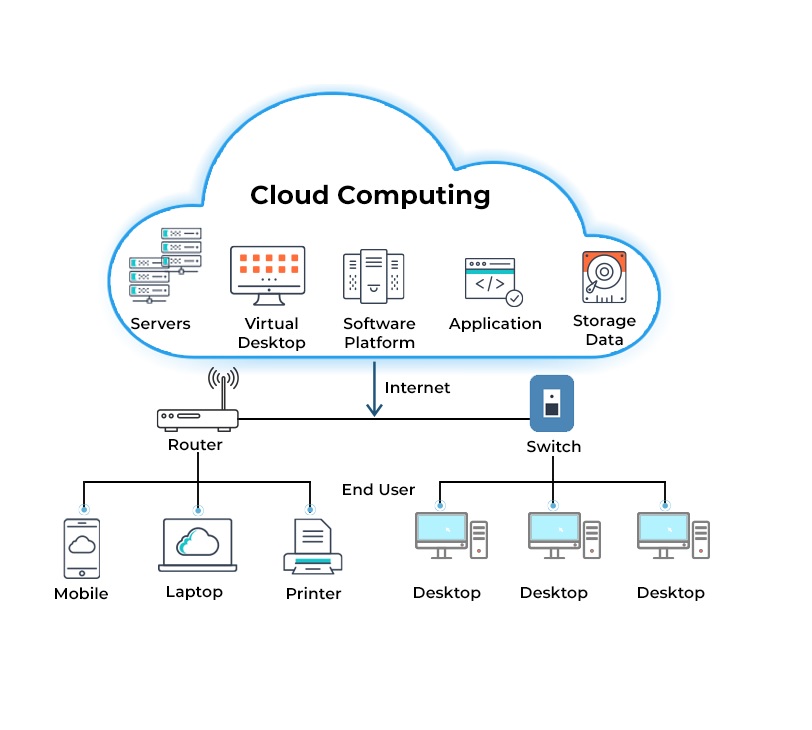
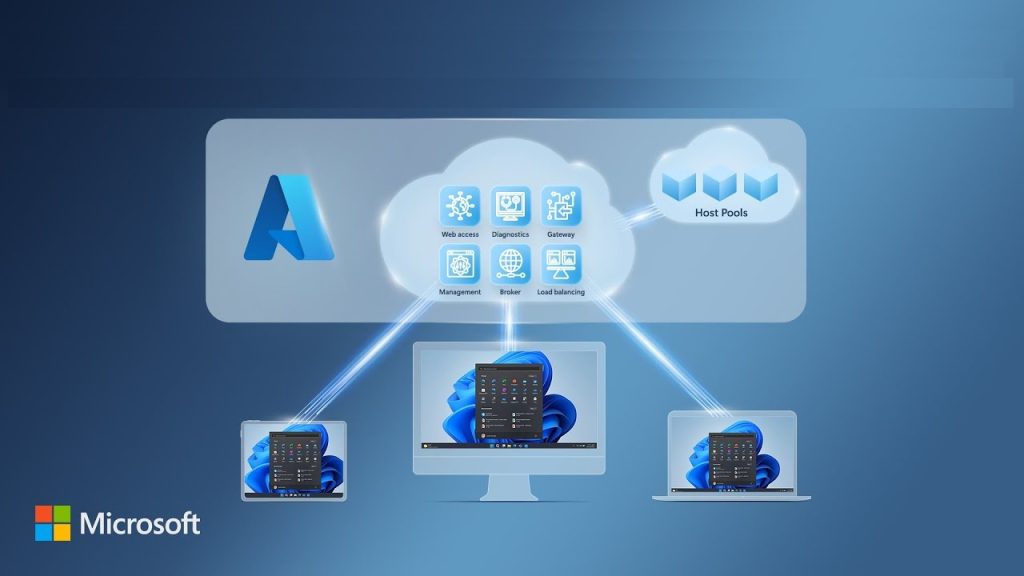
A Cloud PC is a fully functional desktop computer hosted on remote servers rather than on local hardware. When you log in, you are accessing a real operating system running in a data center, not a stripped-down web app or virtual sandbox.
Here’s how it works in simple terms:
- Your Cloud PC runs on powerful servers in the cloud
- The desktop is streamed to your device over the internet
- Keyboard, mouse, and input travel back to the server in real time
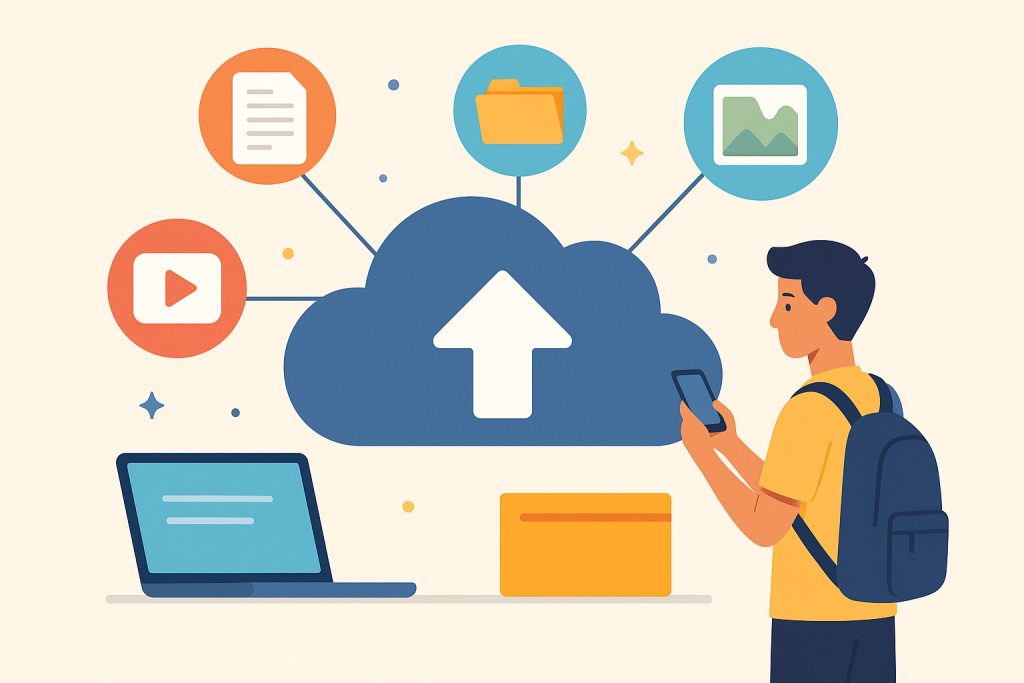
- Files, apps, and settings stay synced regardless of device
From the user’s perspective, it feels like using a normal computer. You install apps, open files, and multitask just like you would on a local PC. The difference is that the heavy lifting happens somewhere else.
This approach is why cloud desktops perform consistently. Whether you connect from a budget laptop or a high-end monitor setup, performance depends more on your internet connection than your device specs.
Cloud desktop PC vs traditional PC: what’s the real difference?
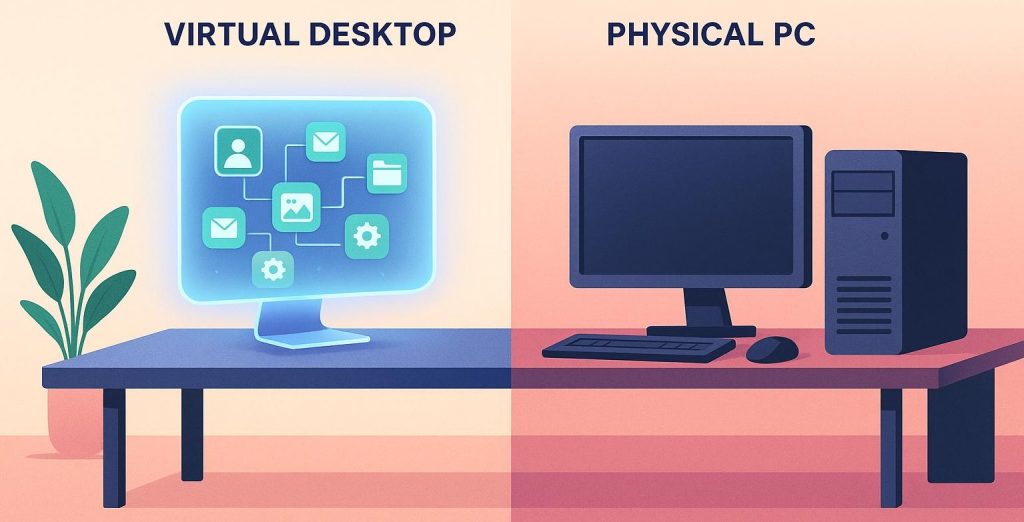
Comparing a cloud desktop PC to a traditional PC is less about raw power and more about ownership, flexibility, and control.
A traditional PC is a physical asset. You buy it, maintain it, upgrade it, and eventually replace it. Performance slowly degrades as software becomes more demanding. A cloud computer, on the other hand, behaves more like a subscription service.
Key differences include:
- Hardware maintenance is handled by the provider
- Upgrades can be instant instead of expensive
- Your desktop follows you across devices
- Downtime from hardware failure is rare
That said, cloud PCs introduce new dependencies. Without a stable internet connection, access becomes limited or impossible. For some users, that trade-off is acceptable. For others, it’s a deal-breaker.
This debate between cloud PC vs local PC mirrors earlier transitions like streaming music replacing CDs or cloud storage replacing USB drives. Convenience often wins, but not overnight.
Why cloud PCs are gaining traction in 2025
Cloud PC 2025 discussions are everywhere for a reason. Several trends are converging at the same time, making cloud computers more attractive than ever.
First, remote and hybrid work is no longer optional. Businesses and freelancers need systems that work anywhere without complex setups. A Cloud PC for remote work lets users log in from home, offices, or travel devices with zero configuration.
Second, hardware prices continue to rise. Instead of replacing laptops every few years, users can extend the life of older devices by offloading performance to the cloud.
Third, security expectations have changed. Centralized cloud systems reduce the risk of data loss from stolen or damaged hardware. Everything stays protected in the cloud, not on a forgotten laptop in a coffee shop.
Finally, internet infrastructure is improving globally. Faster broadband and lower latency make streaming a desktop far more practical than it was just a few years ago.
Cloud computer for personal use: who is it actually for?
Cloud computers are no longer limited to IT departments. Personal users are finding real-world value in this model, especially in specific scenarios.
Common personal use cases include:
- Students who need consistent software access across devices
- Freelancers working on client-specific environments
- Families sharing multiple low-cost devices
- Digital nomads who travel frequently
A cloud computer for personal use also simplifies setup. There’s no need to reinstall apps or migrate files when switching devices. Everything is already waiting for you the moment you log in.
That convenience appeals to users who value simplicity over customization. If you enjoy building PCs or tweaking hardware, cloud desktops may feel restrictive. If you prefer things to just work, they can feel liberating.
Windows 365 Cloud PC and Microsoft’s vision
Windows 365 Cloud PC is one of the most influential platforms shaping this space. Microsoft’s approach focuses on delivering a familiar Windows experience through the cloud, without requiring local installation.
With Microsoft Cloud PC offerings, users get:
- A persistent Windows desktop
- Integration with Microsoft 365 apps
- Enterprise-grade security features
- Scalable performance tiers
Microsoft’s long-term strategy suggests cloud PCs are not a side project. They align with broader goals around subscription services, device independence, and cloud-first workflows.
For users already invested in the Windows ecosystem, this makes the transition feel natural rather than disruptive.
Cloud PC for gaming: can cloud desktops replace gaming rigs?
Gaming is often the first thing people question when they hear about cloud PCs. After all, gaming pushes hardware harder than almost any other consumer task. The idea of playing demanding titles on a remote system sounds risky at first.
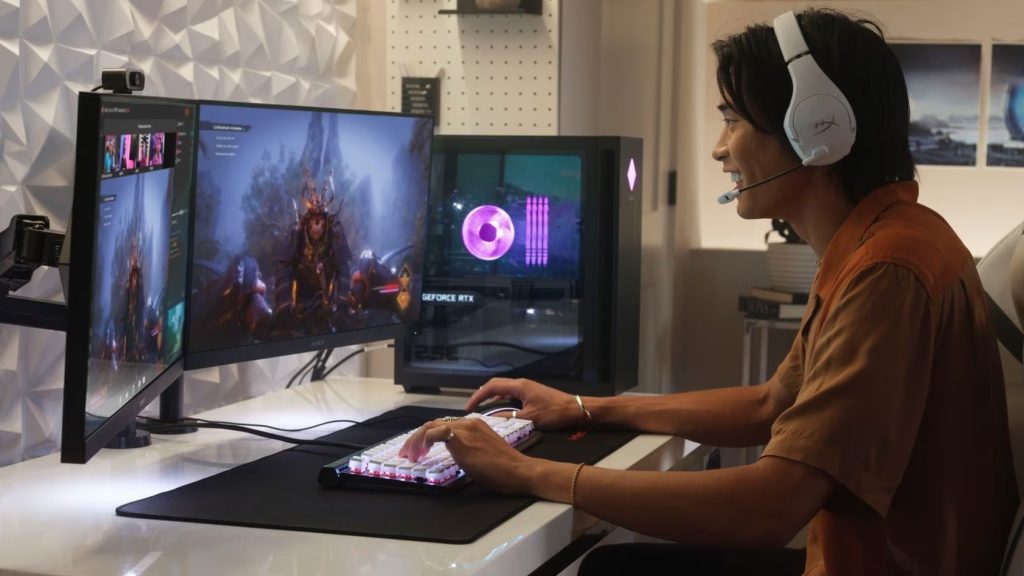
A Cloud PC for gaming works differently from traditional game streaming services. Instead of streaming a single game from a locked platform, you’re accessing a full cloud desktop. You install games, manage mods, and configure settings just like on a local PC.
The biggest advantages include:
- No need for expensive GPUs or frequent upgrade
- Ability to play high-end games on low-powered devices
- Instant access to powerful hardware tiers
Latency remains the main concern. Competitive gamers who rely on ultra-fast response times may still prefer local hardware. However, for casual and single-player gaming, cloud PCs have reached a point where the experience feels surprisingly close to native performance.
As internet infrastructure improves, cloud gaming via cloud desktops could become far more mainstream, especially for users unwilling to invest in costly gaming rigs.
Cloud PC for remote work and productivity
Remote work is where cloud PCs shine the brightest. A Cloud PC for remote work removes many of the headaches associated with device management, software updates, and security risks.
Instead of configuring multiple machines, users simply log into the same environment every time. This consistency matters for professionals who rely on specific tools, plugins, or development environments.
Key productivity benefits include:
- Identical workspace across all devices
- Reduced downtime from hardware failures
- Secure access to company data without local storage
For businesses and freelancers alike, cloud desktops reduce friction. You can start work on a home PC, continue on a laptop, and finish on a tablet without losing context. That flexibility is difficult for traditional PCs to match.
Cloud PC vs traditional PC: cost, performance, and flexibility
When comparing cloud PC vs traditional PC setups, cost is often the deciding factor. The math isn’t always straightforward, and it depends heavily on how you use your computer.
Traditional PCs involve:
- Upfront hardware costs
- Ongoing upgrades and repairs
- Performance degradation over time
Cloud PCs typically follow a subscription model. You pay monthly or annually based on performance level, storage, and features. Over several years, costs can even out, especially when factoring in avoided upgrades.
Performance is another consideration. Cloud desktops deliver consistent performance, but they rely on stable internet connections. Traditional PCs offer full offline access but require maintenance and hardware awareness.
Flexibility tends to favor cloud computing. Scaling up performance for a short-term project is easier in the cloud than buying new hardware.
Cloud PC vs local PC: security and reliability
Security is a major selling point for cloud computing. In a cloud PC vs local PC comparison, cloud environments often come out ahead, especially for average users.
Cloud PCs typically offer:
- Encrypted data storage
- Centralized backups
- Reduced risk from stolen devices
Local PCs place security responsibility on the user. Forgotten updates, weak passwords, or lost devices can expose sensitive data. Cloud desktops keep information off the endpoint, which lowers risk in many scenarios.
Reliability is also improved. Hardware failures in data centers are handled automatically, often without users noticing. The main risk shifts to internet availability, which makes cloud PCs less suitable in areas with unstable connectivity.

Best cloud PC services to consider in 2025
The best cloud PC services vary based on use case, budget, and performance needs. In 2025, the market has expanded beyond enterprise-focused solutions to include consumer-friendly options.
Popular service categories include:
- General-purpose cloud desktops for daily use
- High-performance options for gaming and creative work
- Business-focused platforms with enhanced security
Choosing the right service depends on how you plan to use your cloud computer. Casual users may prioritize affordability, while professionals and gamers may focus on performance tiers and customization.
Are cloud PCs really the future of personal computing?
Cloud PCs are not here to replace traditional computers overnight. Instead, they are adding a new layer of choice. For many users, especially those focused on flexibility and simplicity, cloud desktops already make more sense than owning powerful hardware.
In 2025, cloud PCs feel less like an experiment and more like a natural evolution. Just as smartphones reduced the need for bulky devices, cloud computing may reduce the need for powerful personal hardware.
The future likely belongs to a hybrid world, where cloud PCs and local PCs coexist. Users will choose based on lifestyle, work habits, and performance needs rather than one-size-fits-all solutions.
FAQs
What is a Cloud PC?
A Cloud PC is a full desktop computer hosted in the cloud rather than on local hardware. You access it through the internet, and it runs apps, stores files, and behaves like a regular PC.
Are cloud PCs good for personal use?
Cloud PCs work well for personal use if you want flexibility and low maintenance. They’re especially useful for students, freelancers, and users who switch between multiple devices.
Can a cloud PC replace a traditional PC?
For many everyday tasks, a cloud PC can fully replace a traditional PC. However, users who need offline access or ultra-low latency may still prefer local hardware.
Is a Cloud PC suitable for gaming?
A Cloud PC can handle gaming smoothly for casual and single-player titles. Competitive gaming may still feel better on a local PC due to latency sensitivity.
What internet speed do cloud PCs need?
A stable internet connection is more important than extremely high speeds. Consistent bandwidth and low latency provide the best cloud PC experience.
