

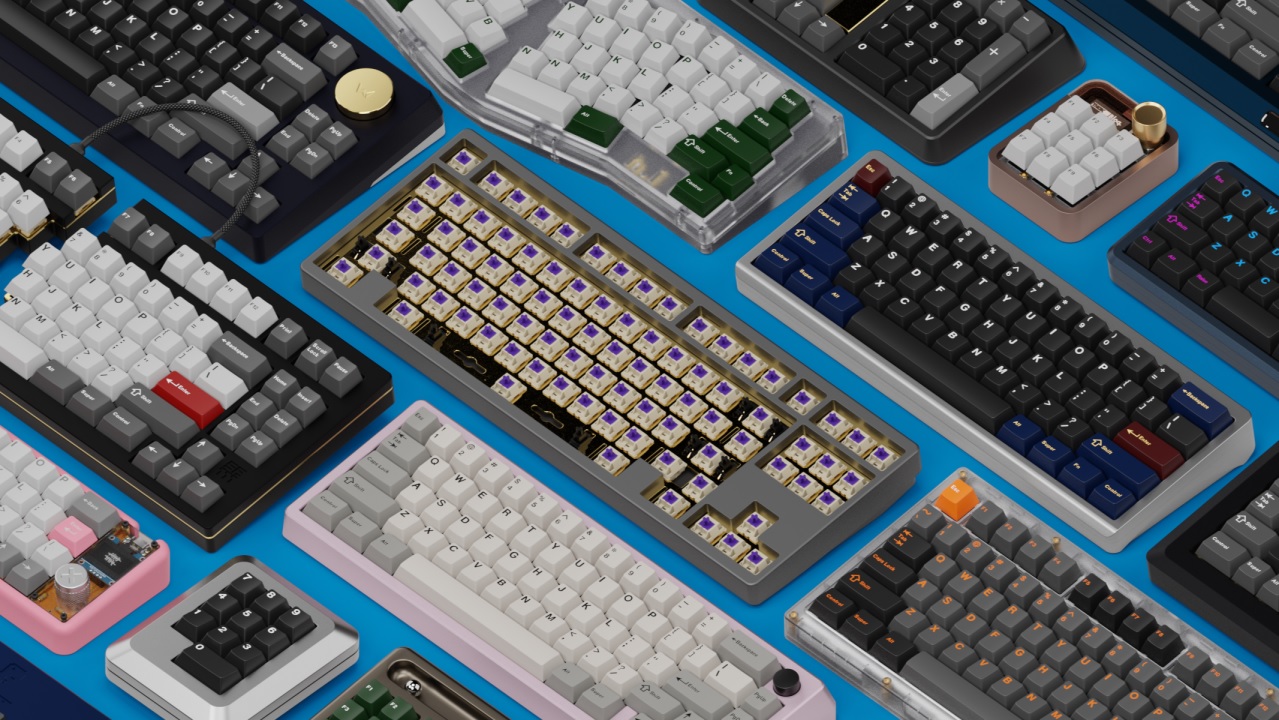
When you think about the tools that power your daily grind, the humble keyboard probably doesn’t get much spotlight. Yet, it’s the unsung hero of productivity – the bridge between your thoughts and the digital world. In 2025, as remote work and hybrid setups continue to define modern workplaces, choosing the right keyboard can literally make or break your workflow.
Today, we pit two titans against each other: the mechanical keyboard and the ergonomic keyboard. Both promise comfort, precision, and speed, but they cater to different needs and preferences. So, which one deserves the crown as the best productivity keyboard of 2025?
Before you start clacking away, let’s unpack the battle of form, function, and feel.
The rise of productivity keyboards in 2025
If 2020 was the year of working from home, 2025 is the year of working smarter. As hybrid offices settle into the norm, our workstations have become more than just desks – they’re personalized command centers. And right at the heart of this evolution sits the productivity keyboard.
In 2025, the best productivity keyboards aren’t just about typing faster; they’re about typing better. Modern users demand devices that combine speed, comfort, and customization. Whether it’s a programmer fine-tuning macros, a designer switching between shortcuts, or a writer tapping away for hours, the right keyboard can make all the difference.
Several trends define this year’s productivity keyboard landscape:
- Wireless freedom with low-latency performance – The best wireless keyboard for work now rivals wired options in responsiveness, cutting the clutter without sacrificing speed.
- Compact layouts – Many professionals are gravitating toward the best compact keyboards that save desk space yet keep essential keys within easy reach.
- Customization galore – Hot-swappable switches, programmable layers, and per-key RGB lighting aren’t just for gamers anymore – they’re productivity tools too.
- Ergonomic evolution – As awareness of wrist health grows, ergonomic designs are shedding their “clunky” look for sleeker, more adaptable setups.
The result? A typing ecosystem that balances performance with long-term comfort – and that’s where the real competition begins.
Mechanical keyboards – the powerhouses of productivity
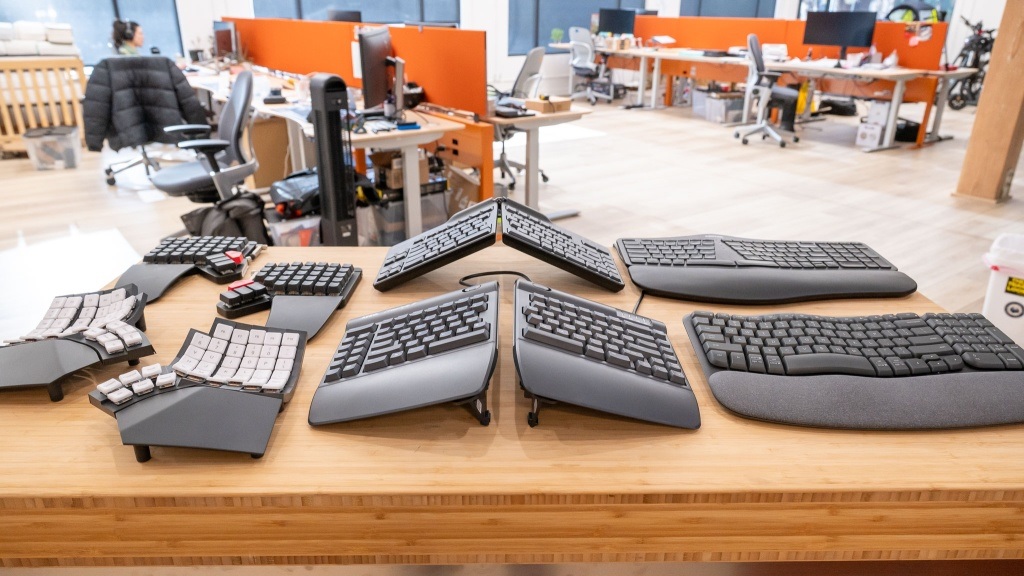
There’s something undeniably satisfying about the click-clack of a mechanical keyboard. It’s a sound that signals precision, intent, and maybe a touch of nostalgia. But in 2025, mechanical keyboards have evolved far beyond their retro roots. They’re now fine-tuned tools for efficiency and comfort – a favorite among writers, coders, and productivity purists alike.
Why mechanical keyboards still rule
Mechanical keyboards use individual mechanical switches beneath each key, which means every keystroke is physically distinct. That tactile feedback gives users better control, faster actuation, and fewer typing errors – all key ingredients for productivity.
Some of the best mechanical keyboards for work in 2025 come with advanced features like:
- Customizable switches: Choose between linear, tactile, or clicky feedback.
- Hot-swappable sockets: Swap switches without soldering – perfect for fine-tuning your typing feel.
- Sound dampening: Many models now offer silent switch options, so you can type away during meetings without sounding like a typewriter.
- Wrist support: A mechanical keyboard with wrist rest can drastically reduce strain during long sessions.
And then there’s the durability factor. Unlike membrane keyboards that wear out quickly, mechanical switches often last 50 to 100 million keystrokes. That’s more than a decade of dependable typing.
Best budget mechanical keyboards 2025
Not everyone needs a $200 keyboard to boost productivity. Brands like Keychron, Epomaker, and Royal Kludge have released budget-friendly options that balance premium build quality with affordability. These models often include wireless connectivity, RGB lighting, and even hot-swap functionality – features once reserved for high-end boards.
So, whether you’re coding, writing, or just handling spreadsheets like a pro, the right mechanical board can turn typing from a task into a tactile joyride.
Ergonomic keyboards – comfort meets innovation
If mechanical keyboards are about precision and feel, ergonomic keyboards are about longevity – keeping your wrists, fingers, and shoulders happy after endless hours of typing. In 2025, ergonomic keyboards have gone through a glow-up. No longer bulky or awkward-looking, they now blend sleek aesthetics with science-backed comfort.
The science behind ergonomic design
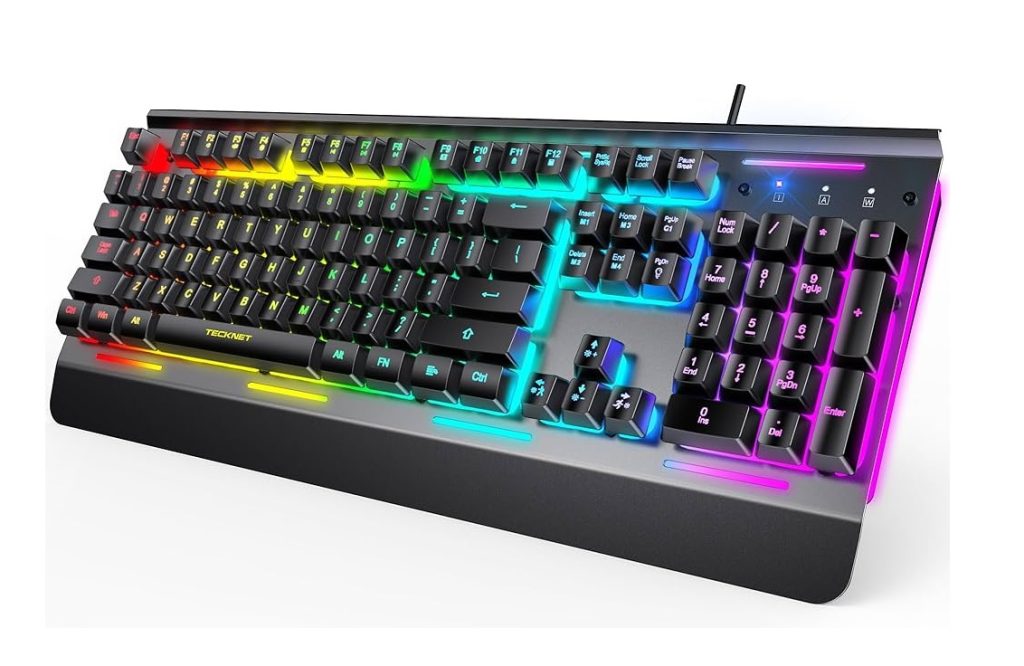
Ergonomic keyboards are designed to reduce the strain that traditional flat layouts can cause. Their split, curved, or tented shapes help align your wrists and forearms naturally, minimizing muscle tension and repetitive strain injuries. This makes them a go-to choice for professionals who spend long hours typing – especially developers, writers, and analysts.
One standout category this year is the ergonomic keyboard for programmers. Developers who type thousands of lines of code daily often struggle with wrist fatigue. Modern ergonomic models like the Logitech ERGO K860 or the Kinesis Freestyle Edge RGB are designed to provide a neutral hand position, promoting better posture and long-term comfort.
Features redefining ergonomic excellence in 2025
The best ergonomic keyboards of 2025 combine form and function in ways that make typing a breeze:
- Adjustable split layouts: Customize angles for your natural arm width.
- Soft-touch palm rests: Keep wrists cushioned and supported.
- Low-profile keys: Reduce finger travel and improve speed.
- Bluetooth and multi-device pairing: Switch between laptop, desktop, and tablet seamlessly.
- Compact ergonomic variants: The best compact keyboards now include ergonomic split designs – perfect for tight desk spaces.
And just because it’s ergonomic doesn’t mean it’s boring. Many models now include smart features like built-in shortcut mapping, customizable backlighting, and even AI-driven typing insights that adapt to your posture over time.
Mechanical meets ergonomic
Interestingly, we’re seeing the rise of hybrid keyboards – mechanical ergonomic keyboards that offer both tactile feedback and ergonomic comfort. These are especially popular among professionals who want the best of both worlds.
Mechanical vs ergonomic keyboard – who wins for productivity?
Ah, the million-dollar question: mechanical vs ergonomic keyboard – which truly wins in 2025? The answer, of course, depends on what kind of typist you are and how you work.
Let’s break it down.
Typing experience and speed
Mechanical keyboards dominate when it comes to typing feel and feedback. The satisfying resistance and audible clicks help reduce errors and increase speed once you get used to them. For writers, coders, and spreadsheet warriors who prioritize accuracy and responsiveness, mechanical keyboards feel like an extension of their fingers.
Ergonomic keyboards, however, focus on comfort over thrill. Their gentle curvature and split layouts promote a neutral typing position that’s easier on the body – but some users might need time to adjust to the unconventional layout. Once they do, however, they often report reduced fatigue and better long-term productivity.
Winner: Mechanical for raw typing speed; ergonomic for sustained comfort.
Health and ergonomics
No contest here – ergonomic keyboards take the crown. For users prone to wrist strain, carpal tunnel, or shoulder tension, a mechanical board (even with a wrist rest) might not provide enough support. Ergonomic designs are engineered for healthy posture, and in 2025, they’re more customizable than ever.
Winner: Ergonomic.
Customization and control
Mechanical keyboards have an edge in customization. From key switches and layouts to lighting and macros, there’s a world of options for those who love to fine-tune their typing experience. Some enthusiasts even mix and match switches across their board – tactile for letters, linear for gaming keys.
Winner: Mechanical.
Portability and design
The best compact keyboards – especially the wireless mechanical ones – are surprisingly portable now. But ergonomic keyboards are catching up fast, with foldable split designs and ultra-thin builds.
Winner: Tie – depends on your workflow setup.
Productivity verdict
If your workday revolves around precision and speed, a mechanical keyboard will keep you in the flow zone. But if you’re more concerned with comfort, posture, and long-term health, the ergonomic keyboard is your best bet.
For most professionals, the real winner might just be a hybrid: a mechanical ergonomic keyboard that blends performance and comfort. In 2025, this middle ground is becoming the sweet spot for serious productivity enthusiasts.
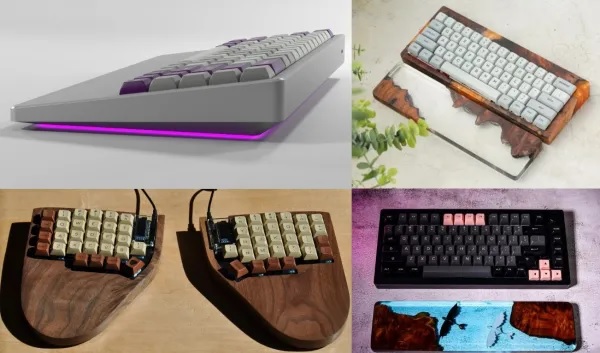
Choosing the best productivity keyboard for your work setup (buying guide)
Choosing the right keyboard in 2025 isn’t just about brand or aesthetics – it’s about finding a tool that matches your workflow, typing style, and physical comfort. With so many models and layouts on the market, here’s a quick guide to help you narrow down the options and discover the best productivity keyboards 2025 for your needs.
1. Know your typing style
Start by identifying how you type and what feels comfortable:
- Heavy typists (writers, coders, editors) often prefer mechanical keyboards with tactile or linear switches for speed and feedback.
- Light typists or multitaskers may appreciate a low–profile ergonomic keyboard that allows smooth transitions between typing and mouse use.
If possible, test a few switch types before buying – the difference between a “clicky blue” and a “linear red” switch can be night and day.
2. Consider ergonomics and health
If you’ve experienced wrist or shoulder pain, prioritize ergonomics. Look for:
- Split or curved designs
- Adjustable tenting angles
- Integrated wrist support
- Cushioned palm rests
Even a mechanical keyboard with wrist rest can significantly improve comfort during long typing sessions.
3. Think about space and layout
A 100% full-size keyboard includes a number pad, function row, and arrows – ideal for spreadsheet-heavy tasks. But if you value desk space or travel frequently, go for the best compact keyboards (like 75% or 65% layouts). They retain essential keys while keeping your setup minimalist and clutter-free.
4. Go wireless for flexibility
The best wireless keyboard for work in 2025 offers ultra-low latency and multi-device pairing. You can jump between a laptop, tablet, and smartphone with a single key press – perfect for multitaskers who live across multiple screens.
5. Set a realistic budget
Great doesn’t always mean expensive. The best budget mechanical keyboards 2025 deliver premium features like RGB lighting, hot-swappable keys, and solid build quality – often under $100. However, if you’re investing in long-term comfort and performance, a premium ergonomic board can be worth every penny.
6. Pay attention to build quality
Look for:
- Aluminum frames for durability
- PBT keycaps for resistance to wear
- Customizable firmware for workflow personalization
These small details translate to big gains in productivity and longevity.
Pro tip:
If your workflow is split between writing, coding, and design, consider pairing a mechanical keyboard with ergonomic wrist rest. You’ll get the tactile feedback of mechanical switches with the support of an ergonomic layout – a balanced middle ground for everyday use.
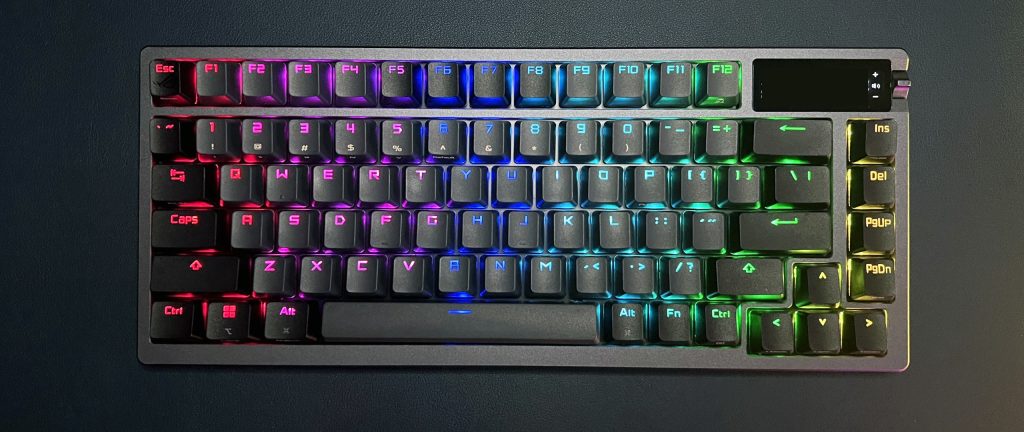
Top picks – the best productivity keyboards 2025
Now that you know what to look for, let’s explore some of the best productivity keyboards 2025 that blend performance, comfort, and value. Whether you’re a coder, writer, designer, or multitasker, there’s a perfect match for every workflow.
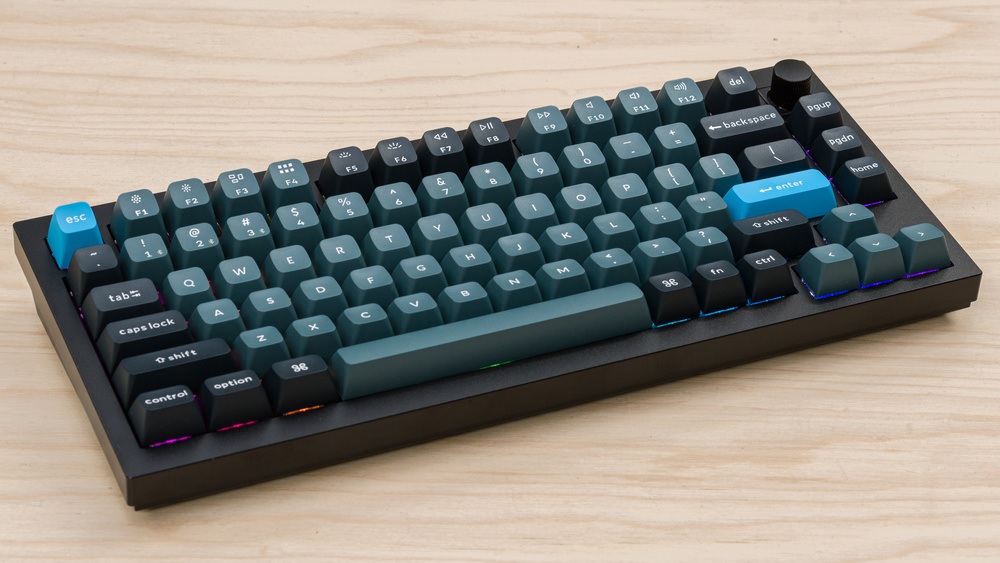
1. Keychron Q1 Pro – the all-rounder for professionals
The Keychron Q1 Pro continues to dominate in 2025 with its blend of premium mechanical feel and wireless flexibility. It features a fully aluminum body, hot-swappable switches, and Bluetooth 5.1 connectivity. The typing experience is buttery smooth, and the customization options are endless – from sound dampening to programmable macros.
Best for: Writers and hybrid workers who need a reliable, wireless mechanical keyboard.
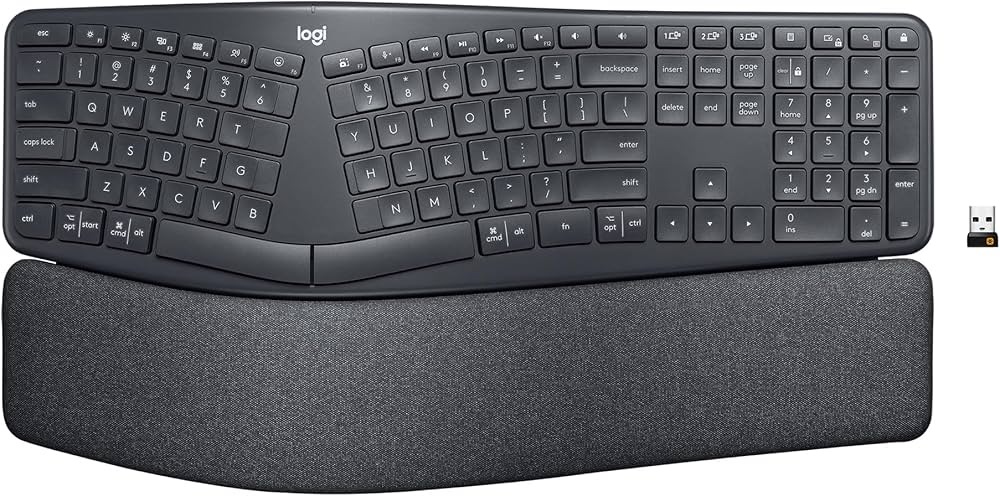
2. Logitech ERGO K860 – the ergonomic king
If comfort tops your priority list, the Logitech ERGO K860 remains the gold standard. Its split curved design, pillowed wrist rest, and adjustable tilt promote a neutral wrist position that feels natural even during long typing sessions. It’s a favorite ergonomic keyboard for programmers and content creators alike.
Best for: Users prioritizing long-term comfort and healthy posture.
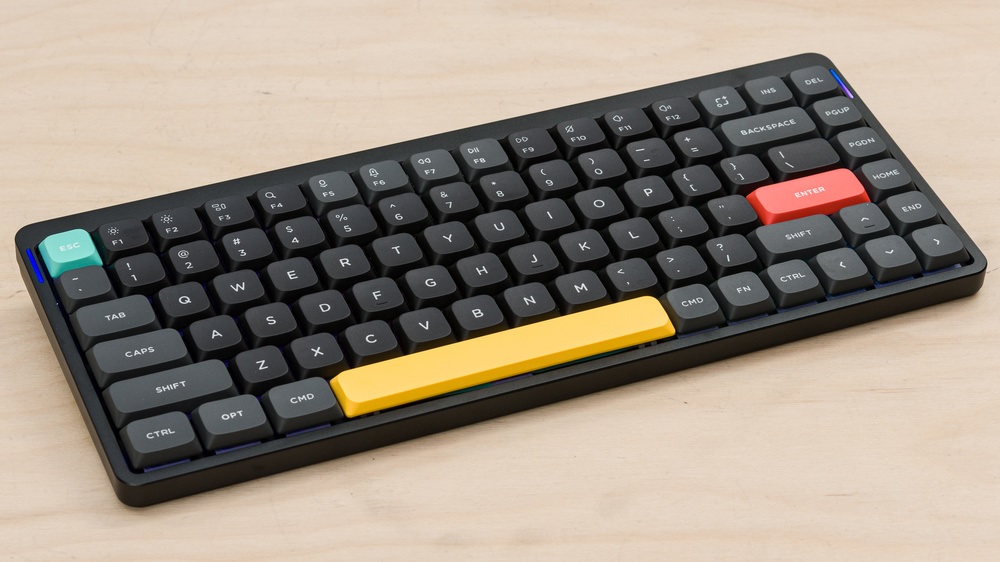
3. NuPhy Air75 V2 – the compact wireless beauty
This keyboard proves that compact doesn’t mean compromised. The NuPhy Air75 V2 is slim, stylish, and incredibly portable. It offers a mechanical typing experience in an ultra-low-profile design – perfect for minimalists and remote professionals on the go.
Best for: Those seeking the best compact keyboard with wireless versatility.
4. Kinesis Freestyle Edge RGB – the pro-level ergonomic mechanical hybrid
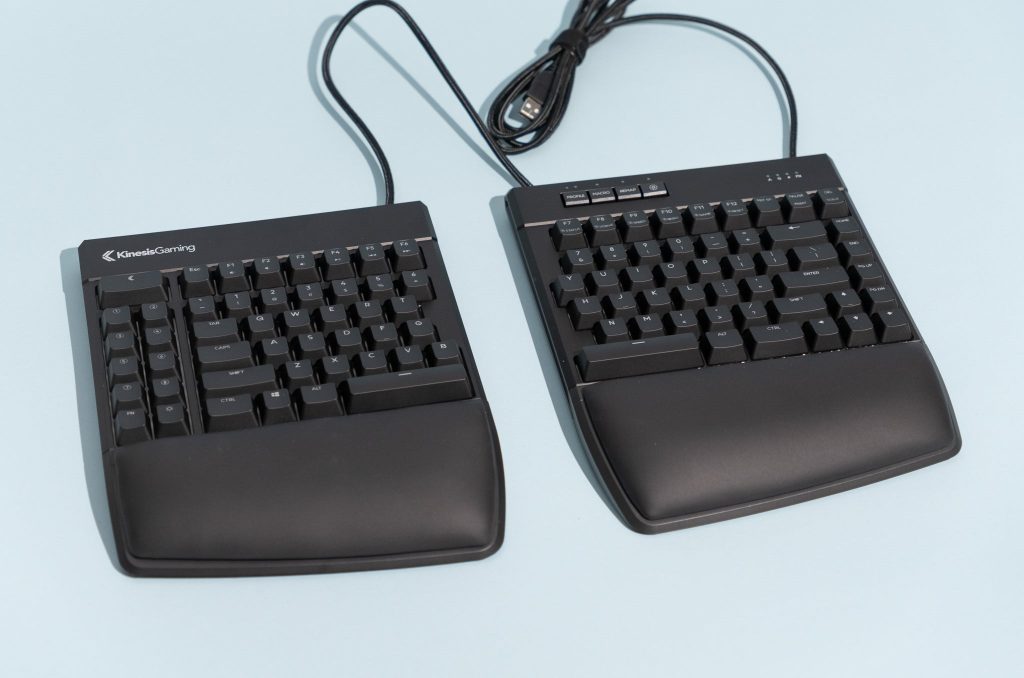
The Kinesis Freestyle Edge RGB bridges the gap between mechanical precision and ergonomic comfort. It’s fully split, tentable, and loaded with Cherry MX switches for responsive typing. The per-key RGB lighting and onboard macro programming make it both functional and fun.
Best for: Developers and power users who want performance without sacrificing comfort.

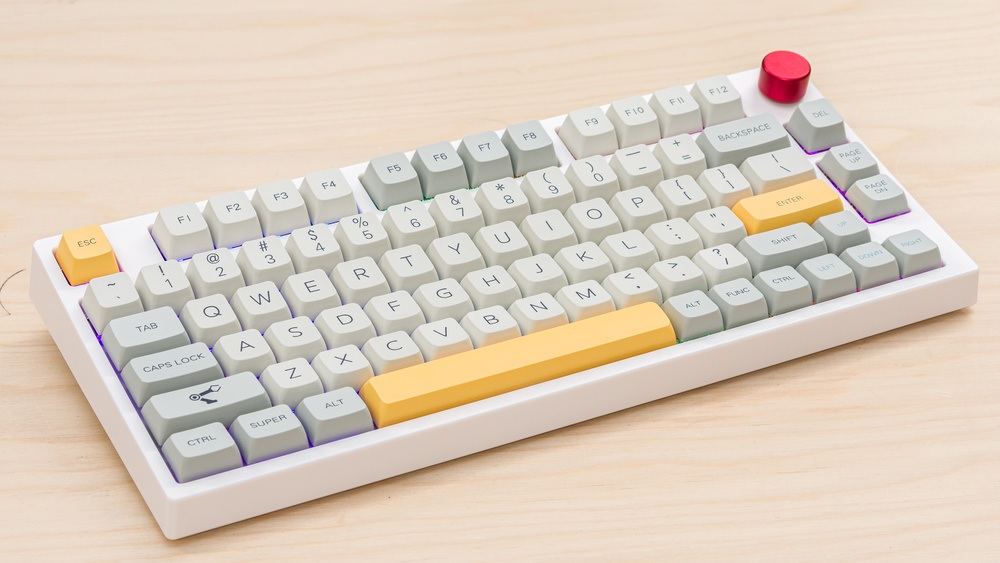
5. Epomaker TH80 Pro – the best budget mechanical keyboard 2025
Budget doesn’t have to mean basic. The TH80 Pro offers hot-swappable switches, tri-mode connectivity (Bluetooth, 2.4GHz, wired), and a solid aluminum plate for under $100. It’s durable, customizable, and ideal for anyone who wants a premium typing feel without breaking the bank.
Best for: Professionals seeking the best budget mechanical keyboard 2025.
6. Logitech MX Keys S – the productivity-focused wireless workhorse
Not a fan of mechanical clicks? The MX Keys S delivers a quiet, smooth, and precise typing experience with smart illumination and cross-device connectivity. It’s one of the best wireless keyboards for work, perfect for office environments or shared workspaces.
Best for: Professionals who prefer a quiet yet high-performance setup.

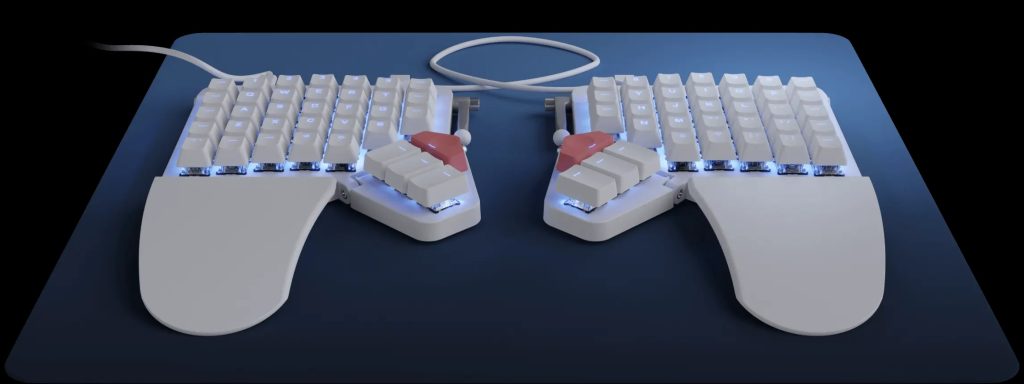
7. ZSA Moonlander Mark II – the futuristic ergonomic marvel
The ZSA Moonlander Mark II looks like something straight out of a sci-fi film – and it types like a dream. Fully programmable, tentable, and designed to reduce strain, it’s a serious contender in the ergonomic world. It’s ideal for coders and heavy typists who value comfort and customization above all.
Best for: Ergonomic enthusiasts and programmers seeking long-term comfort.
Bonus Tip
If you can’t decide between mechanical and ergonomic, consider pairing the Keychron Q1 Pro with an ergonomic wrist rest. It’s a small addition that makes a big difference in comfort during extended typing sessions.
The future of productivity keyboards (2026 and beyond)
If 2025 is all about perfecting comfort and customization, the future of keyboards is about intelligence. The next wave of productivity keyboards will not only respond to how you type – they’ll learn from it.
1. AI-powered adaptability
By 2026, expect to see keyboards that use AI-driven typing analytics to adapt to your habits. These smart boards could automatically adjust key sensitivity, predict text based on your workflow, and even provide posture feedback through integrated sensors. Think of it as your personal typing coach, built right into your desk.
2. Modular and reconfigurable designs
The line between ergonomic and mechanical keyboards will blur even further. Future designs will likely be modular, letting users swap between ergonomic split layouts and compact mechanical configurations in seconds. Imagine starting your day with a traditional mechanical board, then splitting it into an ergonomic mode when coding for long hours.
3. Sustainability and repairability
Eco-conscious consumers are driving brands to create sustainable keyboards built from recycled materials and designed for easy repair. Instead of replacing your entire device, you’ll be able to swap individual parts – switches, keycaps, or even battery modules – extending the lifespan of your keyboard.
4. Seamless ecosystem integration
The best productivity keyboards of the near future will integrate effortlessly with smart office setups. Voice commands, gesture control, and cloud-based personalization profiles will make switching devices or workspaces completely seamless. Your keyboard will remember your preferences whether you’re on your desktop, tablet, or laptop.
5. The rise of tactile wellness
There’s also growing interest in “tactile wellness” – the idea that typing can be therapeutic. Expect future keyboards to feature customizable textures, responsive haptic feedback, and even stress-relief modes designed to make typing a more pleasant sensory experience.
The future looks bright – and clicky. Whether you’re team mechanical or team ergonomic, one thing’s certain: the keyboards of tomorrow will make work not just more productive, but more enjoyable.
Conclusion: Finding your perfect typing partner
In the great mechanical vs ergonomic keyboard debate, there’s no universal winner – only the right match for you.
If you thrive on tactile satisfaction, lightning-fast response times, and customization, a mechanical keyboard is your loyal productivity companion. It rewards precision and passion with every keystroke.
But if your focus is long-term comfort, posture, and reducing wrist fatigue, the ergonomic keyboard stands tall as the smarter health-conscious choice. Modern designs no longer sacrifice aesthetics for function – they deliver both beautifully.
In 2025, the real victory lies in personalization. Hybrid keyboards are bridging the gap, giving professionals the tactile feel of mechanical switches with the comfort of ergonomic layouts. So whether you’re crafting code, crunching data, or composing your next big idea, the best productivity keyboard isn’t the one with the most features – it’s the one that helps you type smarter, faster, and longer without compromise.
Because in the end, productivity isn’t just about speed – it’s about comfort meeting consistency. And the perfect keyboard is where that harmony begins.
FAQ: Your productivity keyboard questions answered
1. What is the difference between a mechanical and ergonomic keyboard?
A mechanical keyboard uses individual mechanical switches under each key, offering tactile feedback, faster response, and longer durability. An ergonomic keyboard, on the other hand, is designed to reduce strain by aligning your wrists and hands naturally. Mechanical focuses on performance; ergonomic focuses on comfort.
2. Are mechanical keyboards better for productivity?
Yes, for many users. Mechanical keyboards provide precision, speed, and a satisfying typing feel that can enhance focus and reduce typing errors. However, if you experience wrist fatigue, you might benefit more from an ergonomic or hybrid model.
3. Which is the best ergonomic keyboard for programmers in 2025?
For programmers, the Logitech ERGO K860 and Kinesis Freestyle Edge RGB are top choices. Both offer split layouts and wrist support that help maintain a neutral posture during long coding sessions.
4. What is the best wireless keyboard for work in 2025?
The Logitech MX Keys S is one of the best wireless keyboards for work this year. It offers seamless multi-device connectivity, quiet keys, and smart backlighting – perfect for office or hybrid work setups.
5. Are budget mechanical keyboards worth it?
Absolutely. The best budget mechanical keyboards 2025, like the Epomaker TH80 Pro or Royal Kludge RK84, deliver premium features like hot-swappable switches and RGB lighting at affordable prices. They’re perfect for professionals upgrading from basic membrane keyboards.
6. What’s better: mechanical or membrane keyboards?
When comparing mechanical keyboard vs membrane keyboard, mechanical models win in durability, typing feel, and responsiveness. Membrane keyboards are quieter and cheaper, but they wear out faster and often feel less precise.
7. Can you get a mechanical keyboard with wrist rest?
Yes, many brands now offer a mechanical keyboard with wrist rest, such as Keychron, Corsair, and Logitech. These help combine the tactile joy of mechanical keys with ergonomic comfort for extended typing sessions.
8. Which keyboard should I buy for overall productivity in 2025?
If you want a balance of speed, comfort, and design – go for a hybrid like the Kinesis Freestyle Edge RGB or the Keychron Q1 Pro with an added wrist rest. They represent the best of both mechanical and ergonomic worlds.
